Friday, March 11, 2011

Light Blog Post Friday: Lightroom 3.4 Almost Out; Akron Photo Series; & The Grid

Good Morning Everybody,

Bear and Fish - Fotolia_14912627_Subscription_L[1] Sorry for the super late post yesterday – let’s just say the “bear got me”  including the fact that I accidentally deleted Wednesday’s image of the day post.  Grrrr… said the bear - I felt like the salmon ;~). Anyway, I’ve got it reposted and all should be back to normal today.

Hey, today is supposed to be super light blog post Friday but I’ve got a few items that have caught my eye.  Here we go.

Light Post Friday Tidbits:

Lightroom 3.4 Almost Out

Lightroom 3.4 and Camera Raw 6.4 are now available as Release Candidates on Adobe Labs.  Read the entire story and what’s new over at Tom Hogarty ’s blog right here.

Check Out The Akron Photo Series

Akron Photo Series I was talking with my buddy, Skip Cohen, of Skip’s Summer School and the discussion turned to his Akron Photo Series.  I finally checked it out . WOW! What a line up of speakers – past, present, and upcoming.  Eddie Tapp in March, Julianne Kost in April, Jerry Ghionis in June! Here is the link to the info.

Have You Checked Out The GRID

GRID logo I just watched Kelby Training’s brand new offering, The Grid, a 30 minute talk show that discusses topics related to Photography, Photoshop, and the photo industry in general.  The first episode featured guest photographer Jeremy Cowart along with Scott Kelby and Matt Kloskowski.

The fascinatingly discussed topic – Facebook vs. Twitter for photographers – very interesting insights into social media.  What I liked about the format was the fact that I could play it in the background while working, for example, on my blog as I’m doing right now.

I could go on and on but instead tune in to the premiere episode right here – pretty cool listen. High Fives guys!!!

________________________________________________________

PPO Bridal Pic Hey gang, that’s it for me today.  We are headed out early to Sandusky, OH to attend the Professional Photographers of Ohio convention this weekend. This is always a great place to see inspiring images and a talented list of presentations. Here is the link to the PPO Convention.  If you plan to attend, please come on up and say HI.

See ya’ there,  David

Thursday, March 10, 2011

”My Three Girls”

0001-My Three Girls-0246_RyanP05 ”My Three Girls”
©David A. Ziser

Every Fall we get several calls for family portraits.  In the  Midwest that is certainly the best time for outdoor portraits.  The optimum time of the year for us is the second and third week of October. That’s when the fall colors are in “full bloom”.

So what’s one to do when you get a call and the client wants to have their portrait made well after that date – in this case, the day after Thanksgiving – a month later?  The quick answer is – you still do your best. 

This image was made on the day after Thanksgiving.  Most of the leaves had already fallen to the ground and their limbs were pretty bare.  The good news was that I still had plenty of leaves on the  ground offering the Fall color for my image,

I arranged the mom and her two daughters in what we call a pyramid composition, carefully selected a high enough camera position so that the leaves on the ground would give me a good backdrop, opened up the aperture , and fired away.

Light was coming in from camera right – you guessed, strobe at 1/2 power through Zumbrella just out of camera range.

The long focal length and wide aperture worked their magic disguising the mostly leafless trees and blurred the background beautifully creating this very nice Fall portrait.  This image is what I call a “huggy” shot – it’s the last image of every group photograph I make – wedding or portrait.  I love how the “huggy” always brings out the best expressions of my clients.

Camera specs: Canon 5D fitted with 70-200mm IS lens at 200mm, F4.5 @ 1/200 second, ISO 100.  Enjoy!  -David

Business Day Thursday: After the Wedding: Workflow – Part 4

Good Afternoon Everybody,

Late LR Better late than never, like they say. I was out of the office early this morning and just returned a short while ago – hence the late post today.  Nevertheless, I wanted to get the fourth part of my workflow series to you, so here we go.

After the Wedding: Workflow – Part 4

Last week’s 3rd part of this series [link], I covered how we go through the final image edit and prepare the image presentation for our clients.  So far, everything has been fairly straight forward.  The topic for this week’s post is of crucial importance if you want to be successful in selling your wedding images. Why?  Because it is the beginning to the sales making process – so please pay attention.

We’ve taken several thousand images at the wedding, selected our very favorite images, tweaked color and density when necessary, arranged the images into a story telling order, stylized a select 50 or so, added promotional titles to the beginning and end of the show, and are ready for upload to the web.

Uploading To The Web

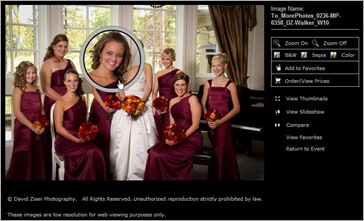
More 1 Once everything is prepared and to this stage, we export the final image presentation into a separate folder from which we will upload the to my hosting service – More Photos.com.  What’s important is the size of the exported images. We export the images at a dimension of 1280px on the long side.  That’s an easy export process in Lightroom.

Why 1280px? It’s because of the way More Photos posts the images to my on-line gallery.  For most on-line galleries, you will see thumbnails, which when clicked on bring up a larger, but not too large an image. 

More 3 More Photos gives my clients the option of clicking one more time to make selected parts of the image even larger – 1280px on the long side is the preferred size to see the larger image.  The reason for the selected size enlargement is to be able to verify a good expression.  Another reason for this selective enlargement is to avoid anyone from doing a right mouse click nab of the image.

Client Viewing – NOT Final Selection!

The process to upload the images to More Photos is fairly simple with their desktop up-loader.  After a few hours, all the images are residing on More Photos site ready for client viewing.  OK gang, this is where we separate the men from the boys when it comes to selling. 

I DO NOT want the bride and groom to make a final selection of their images from the on-line galleries.  I only want them to select their favorites. It’s vital that you get this.  If a client is only given the opportunity to select their final images from the on-line series you worked so hard to create for them – YOU ARE CHEATING YOUR CLIENT out of what they could have in their album!!!

Do I have your attention?  Here’s the real deal gang, unless we can sit with our clients and share with them what we saw with our mind’s eye and felt in our hearts as we photographed their wedding celebration, there is NO POSSIBLE WAY they will put together a satisfyingly complete series of images that truly captures their special day.  The artist – that is, we the photographer – must be part of their decision making process.  It is in serving our clients in this manner that truly helps us be the best photographer/artist/designer for our clients!

Spinning The Wheel Of MIS-Fortune

MIS Fortune Placing images on-line and spinning the “wheel of MIS-fortune” will only guarantee you anemic sales. More importantly, “spinning the wheel” provides absolutely no opportunity to share your creativity and how YOU felt when you were photographing their wedding celebration. Doing business this way completely sidesteps the climax of the photographer/client experience. 

You have worked so hard to produce for them – what?– a small collection of images they select from their on-line experience. Wouldn’t you rather have that climax be a thrilled client who shares your enthusiasm for not just their wedding, but also an exciting collection of images that they will enjoy for the rest of their lives!  You can only make that happen if you are part of the image selection process.

Our Clients Select Their Favorites, Not Their Finals

Favorite LR Our clients are instructed to select only their “favorites” from the our on-line galleries.  After they have noted their favorites, and we give them at least 14 days to do just that, we schedule an appointment for them to come into our studio to review their selections and help them with their final selections for their album. 

It is during this meeting that the final magic happens – our clients are thrilled with their final choices and can’t wait to see their album! During that “in person” meeting we are also able to showcase all the our other fabulous products and ideas that will further enhance and help them enjoy their images even more!

Next week, I’ll walk you through that sales process – hope you’ll join me because that’s the fun part of the entire sales process.

More Photos logo DAZNOTE: As I was writing this article I decided to give my buddies a call at More Photos and see if they would offer any of our DPT readers a special incentive to give then a try if anyone was interested.  Mike Connors, the president said no problem.

Here is the deal – give More Photos a call at (231) 932-0855 then hit ext #4.  Tell them David Ziser sent you, and you’ll receive one month FREE and 1/2 price set up! WHAT A DEAL!!  It was really  nice for Mike to extend this offer. So if you’re interested, give a call.

__________________________________________________________

Hey gang, that’s it for me today.  Tomorrow we head to Sandusky, Ohio for the Professional Photographers of Ohio Convention.  This has always been one of my favorite conventions to attend.  I’ve been going for years and have many friends to visit and reconnect with.  It will be good to catch up with them this weekend.  And, as always, I’ll have a show report for you on Monday. 

Tomorrow’s post will be late in the day so check back in the afternoon.  I just may have a tidbit or two to share with you.

Hope to see you then,  David

Wednesday, March 09, 2011

”Global Warming Fact or Myth?”

Global Warming -IMG_9432-Edit

”Global Warming - Fact or Myth?”
©David A. Ziser

I made this image on our return from the Professional Photographers of Indiana this past weekend.  We were just making our approach to the I-275 ramp to cross the bridge into Kentucky.  In the distance I saw the Tanner’s Creek Generating Station doing what it does best – filling the skies with steam and who knows what else.

The water soaked atmosphere kept the plant’s exhaust close to the ground stretching across the landscape.  The backdrop of the thick rain clouds created a quite ominous scene.

I grabbed the camera and LaDawn grabbed the steering wheel, not in that order, and I captured a few shots.  A quick trip into Lightroom and Photoshop to modify the tonalities finished the result.

Want a little back story on the Tanner’s Creek Generating Station? This plant was ranked 67th on the United States list of dirtiest power plants in terms of sulphur dioxide emissions per megawatt-hour of electrical energy produced in 2006. YUCK.

Camera specs: Canon 7D fitted with 18-200mm IS lens at 70mm, F11 @ 1/500 second, ISO 800.  Enjoy!  -David

p.s. Since I accidentally deleted the post, the comments unfortunately went with it.  I’ll see what I can do to find them.  -David

Wednesday – A Feeding Frenzy Of Excitement: Easy Info Galore; Video Streaming; & Nice Lights

Good Morning Everybody,

Today is supposed to be a light blogging day, but I’ve just spent the last 4 hours researching, testing, and reading about some very cool new “geek technique” items. 

It all began simple enough. I awoke this morning about 5:00 a.m. – much earlier than usual, grabbed a morning drink of water and fired up my iPad.  USA Today logo The first thing I did was to tune into the the USA Today app. Hey, it’s an old habit I developed traveling so much – give me my USA Today first thing in the morning.  Now I read it most everyday on my iPad.

USA Tech Anyway, they now have a TECH section on the app so I clicked on the tab to see what was new in TECH [link].  Lots of good info here – How to block Charlie Sheen from your web browser, celebrating the weather man’s 200th anniversary, etc.  OK, not much, right?  WRONG!!!

ZiteI eventually stumbled on a little story – now a BIG story – about a brand new APP named Zite [link].  It’s another news aggregator similar to Flipboard which I’ve blogged about previously [link].  Flipboard has been a favorite for months, but that was till 5:30 a.m. this morning after test driving Zite for a few hours.  I LOVE it – intuitive, informative, and easy to customize.

A Fast Way To Find Great Information

In a matter of minutes I found several articles that I thought would be fun to read for our DPT readers.  Here is my quick list of 12 – enjoy!

On Wedding Photography

Groups 1. Great Groups:  Phenomenal Photography - Classic Group Portraits right here.

2. One of my favs:  Del Sol Photography Blog - del Sol Cenote Trash the Dress + Phase One + Nauticam for the first time together, wowzer!! - right here.

3. Good Posing ideas: Bridesmaid Dress Trend We Love: Mix and Match Styles! - Wedding Blog - OneWed's Savvy Scoop for Wedding Ideas, Wedding Photos, Wedding Pictures right here.

4. At your next wedding?: How to DIY Your Very Own Photo Booth right here.

iPhone Weddings5. Is it really coming to this?  Wedding Photography with iPhone right here.

6. Good Posing ideas:  The Beautiful and The Damned ~ A 1920s and 1930s Inspired Collection by Dress Designer Joanne Fleming, with Accessories by Yulia Kunze... - Love My Dress Wedding Blog right here.

7. More good posing ideas.  Bridesmaid Dress Trend We Love: Mix and Match Styles! - Wedding Blog - OneWed's Savvy Scoop for Wedding Ideas, Wedding Photos, Wedding Pictures right here.

iPad for wed photogs On The iPads and iPhones

8. Ten tips for mastering the iPad right here.

What a deal!  Used iPads Selling Quickly Online right here.

9. Useful iPad Apps For Brides and Wedding Photographers right here.

On Photoshop and Lightroom:

10. The 100 Best Photoshopped Pictures of February 2011 right here.

11. How To Fading Lightroom Presets right here.

And Just For Fun

12. Way Cool!   High-resolution 3D Models of Cities Created from Aerial Photographs right here. 

More Exciting Things May Be Happening!

Under Zite Technology section, I also found this very cool looking device called the Teradek Cube [link].  It’s the size of a pack of playing cards, fits on top of any video camera and streams video instantly to the web, your computer, iPad, etc.  Cube

Man oh man – does this look like a great teaching tool for me.  It’s pricey and I’m still checking it out, but wow, does it open up video possibilities for me at DPT! Oh yea!!!

Very Cool New Light

Fotodiox LED Light During our visit to the Professional Photographers of Indiana this past weekend we visited with our good friends Rob and Wilma Kumler of K&R PhotoDigital [link] who had a booth at the show.

As usual, they were showing some of the latest in gadgets and LED lighting.  I was intrigued by the Fotodiox battery powered LED light.  It was small, compact, lite, and bright.  For $79, I decided to pick one up.  I see it’s use for close up portraits, table top scene setters, heck even finding things in the gear bag ;~)

Give K&R a call at 859.341.6986 for more info.  They were the hot seller at the show so call soon if interested. I can’t wit to try mine out – more later.

_______________________________________________________

Hey gang, that’s it for me today.  Have a great read of all the Zite links today. Oh, by the way, it seemed everybody jumped on the Zite bandwagon today.  The site was down for maintenance about 2 hours after I downloaded the app – heavy traffic, I presume.

How about I see everybody tomorrow for Wedding Workflow – After the Shoot: Part 4.

See ya’ then,  David

Tuesday, March 08, 2011

”Magic Eyes”

Magic Eyes

”Magic Eyes”
©David A. Ziser

I captured this image several years ago as part of a model shoot for this young man.  He was not yet out of high school but was performing magic shows on weekends at one of our local outdoor malls. And, he was quite good!  I think he looks like a young handsome Harry Houdini.

His mom wanted a portrait that they might use for applications to colleges or maybe even an acting gig or two.  I wanted this portrait to capture not just his handsome chiseled features but also the power of his gaze.  The contrasty lighting and black and white rendering of this image does just that. 

Lighting was from camera left (corrected), a Paul Buff White Lightning strobe shot through a Westcott Halo light modifier.  Fill light was supplied by a second strobe bouncing off the ceiling with substantially reduced output in order to not over fill the shadows.  The image was finished up in Photoshop where I added the vignette for final effect.

Camera specs: Canon 20D fitted with 70-200mm IS lens at 100mm, F7.1 @ 1/125 second, ISO 100.  Enjoy!  -David

Techniques Tuesday: Wow! It Sure Didn't Look Like That!

Good Morning Everybody,

Auto Select Well, I’m a notch closer to solving my ‘crashed” car issue.  After my board  meeting yesterday, I headed over to my buddy, Nabil’s used car lot AutoSelect. Yes, I am blogging about a used car lot ;~)  I’ve been buying cars from Nabil for years.  Nabil came to America with only $300 in his pocket and has parleyed that into several successful businesses over the years. 

It was good to catch up with an old friend, enjoy a wonderful lunch together and check out what he had on the lot.  He just may have sold me my next car.  Mercedes CLSHe tossed me the keys of one car that caught my eye and said, “Take it home and see how you like it.” LaDawn tried to object, but I quickly agreed to Nabil’s offer.  Man, I have to tell you, it was one sweet ride back to Cincy yesterday! I plan on giving is a good workout over the weekend.  I’ll keep you posted.

Techniques Tuesday: Wow!  It Sure Didn't Look Like That!

I feel pretty crummy today and hope to head to the doc’s office later in the afternoon.  That said, I’m planning to bail on today’s post – well, partially bail.  I’m re-running a post I did a few years ago that received a lot of attention.

The basis of the post was the fact that sometimes we spend way too much time trying to get the image just right in the camera and sacrifice way too much time doing just that.  To me the choice is simple – if I can fix it in Photoshop or Lightroom quicker than it’s going to take me to fix it in the shoot, I’m going to my digital Plan B fix.  Why not hit the PLAY button below and enjoy the show.

This post did garner the attention of uber blogger, Scott Kelby, who did a follow up post on my original presentation.  Here is the link to my original post right here.  And, here is the link to Scott’s follow up post right here.

All in all, there’s a lot of info and discussion surrounding this post and comments so I really hope you enjoy today’s blast from the past.

________________________________________________________

Hey gang, that’s if for me today – where are the tissues and Dristan? Hope to see you tomorrow.

David (Sniffles & Sneezes) Ziser

Monday, March 07, 2011

”I’m Just A Country Girl”

I'm Just A Country Girl2

”I’m Just A Country Girl”
©David A. Ziser

This image was made as part of a high school senior shoot a few years ago and is pretty much how it looked right out of the camera.  We had a beautiful Fall day full of color, great locations, and a very pretty subject to work with.

In addition to our lovely subject, it was the Fall colors that really made the session fun. Everywhere you pointed the camera, the viewfinder was full of Mother Nature’s glory.

The goal though is to keep the viewers’ attention on your subject. The best way to do that is with great light, a large aperture, shallow focus, and tack sharp focus on your subject.

I positioned Casey in the foreground knowing the wooden fence would go slowly out of focus but still lead the viewers’ eye right back to our subject. Here grey sweater matched the colors of the surrounds perfectly.

My off-camera flash was brought in from camera left – my Quantum shooting through a 42 inch umbrella.  Yes, this was in pre-Zumbrella days.  Nevertheless, we still got a great direction of light which balanced perfectly with the ambient light falling on Casey.  The result was a terrific high school senior image.

DAZNOTE: I would have preferred using a larger aperture but the ambient light was a bit too bright.  Remember, I was limited to 1/250 second – the native sync speed on my Canon 20D.

Yes, I could have used a lower ISO but that would have necessitated me bringing the flash closer to my subject which was not an option – it was just out of camera view on the left already.

And yes, a more powerful flash may have helped but I was already at full power on my Quantum.  Working outdoors with flash is always a challenge to get the best light on the subject, but the final result is always worth it.  

Camera specs:  Canon 20D fitted with 70-200 IS lens at 185mm, F 5.0 @ 1/250 second, ISO 400.  Enjoy!  -David

Quick Hit Monday: Porsches; Great Baby Photography; Alternative Portraits; Social Media Marketing; HDR, Photoshop and More

Good Morning Everybody,

Porshes We had a GREAT time at the Send Off Party for LaDawn's son, Joshua and his fiancé, Kristen.  I have to tell you, the treat of the party was the venue.  It was held at the Porsche Carrera GTTaj Ma Garaj, a Porsche museum with models ranging from  the Porsche Turbo to a $450,000 Porsche Carrera GT. It was an unbelievable BEAUTIFUL car to see!

Sunday we headed to Indianapolis to check out the Professional Photographers of Indiana Convention.  We were only there a few hours but we got a chance to catch up with a few of our vendor buddies and visit with some old friends.

Bridget H w-DAZ During our visit, I was introduced to Bridget Harmon Smith, the vice president of PPI. She had presented a program on how to photograph newborns and I hear she made a great impression on the attendees.  We were hanging out at the H&H booth who was featuring many of Bridget's images.  I got a chance to peak at one of her albums and the photography took my breath away – Congrats Bridget.  Check out more of Bridget’s work right here.

We arrived back home early yesterday evening and head to Lexington, KY for a planning meeting for the KY State Photographer's Association, KPPA, [link].  We're putting finishing touches on our Spring Webcast and our Summer meeting. 

I want to emphasize that these events are open to ALL photographers everywhere in the world and I will certainly give you the details as soon as we have all the details finalized.  I hope you will consider attending these exceptional educational events. 

OK gang, time to get on with our Quick Hit Monday.  You know, I've always wanted Quick Hit Monday to be a set of very interesting links that inspire you, make you think differently, or are just plain interesting to check out.  Today I think I've got a wide ranging collection of eclectic links that I hope you find interesting and enjoy.  Here we go....

Social Media Marketing: Converting Followers to Fans

I don't care what you say, but social media marketing has become an integral part of how we MUST do business these days.  Sure, lots of us have TONS of Facebook friends, whether personal or professional, but how many really are our fans. 

Zenlogue

The secret to Facebook business success is converting those friends into Facebook fans.  Here is a link provided by Photography and Business Zenologue to a good article on doing just that.  I think the article content is pertinent to all businesses.  Once again, you can catch the article right here.

A Visit To Crash's Place

My good buddy and fellow blogger always has something new cooking across the great Atlantic.  I've mentioned Crash Taylor here several times at DPT.  Not only is he an award winning wedding photographer, he also has been developing some pretty insuring content with his "Interviews With Crash" series [link]. If you've missed any of them, you can find the entire enlightening series right here.

Crash Image Well, recently I received an email from Crash asking me to take a peek at some new ideas he was  experimenting with.  I found them emotionally provoking and very interesting - not your typical wedding images.  They were a bit more on the "dark side" but I mean that in a creative sort of way.  Here is the link to his Studio 3b site which features many alternate stylized wedding and portrait images.

The point I want to make this morning is this.  Crash is stretching himself in new and different directions.  It's something each of us should constantly strive to do.  Crash2 By doing so we enhance our own creative thinking processes and keep ourselves relevant in our field.  Heck, looking at Crash's work, his new direction may even open up brand new doors of opportunity for him.

The point as I said, is to stretch, change, experiment - keep those "brain juices" crankin'.

DAZNOTE: Don’t forget to check out “The Still Image With Crash Taylor” too – amazing imagery right here.

HDR Fans - Unite!

HDR Airports Ok, if you are a regular reader of DPT, you know I'm a fan of HDR photography.  But, here is the interesting fact - I have hardly ever made an HDR photo.  Anyway, I stumbled upon a link right here to some amazing HDR images featuring Airports of Asia.

Be sure to explore the main site Hongkiat.com for tons more of cool links right here.

More Photoshop Tips And Tricks To Entertain You For Days

I love when I find one of these sites – with tons of Photoshop links and examples.  I only wish I had more time to explore them. 

 Photoshop TutorialsLooks like I need to set aside some more weekend surf time to check them out.  Anyway, the site I mentioned above is chock full of Photoshop goodies.  Check them out right here – looks like lots of fun tips and techniques to explore – Enjoy!

Wait, there’s more.  Head over to Photoshop Roadmap and check out their post “100 Wonderful Photo Effects Photoshop Tutorials” right here. It’s going to take me more than a weekend to get through all of these ;~)

Get The Most From Your Speed lights

Speedliting 2Don’t miss Syl Arena’s new post at Speedliting.com.  He’s got a 4 part series that Canon Europe picked up for their site and Syl has reposted it here.  Want to get the most out of your shoe mount strobes – get all the info right here!

______________________________________________________

Hey gang, I’m running out of time. I need to jump into the rental and get heading to Lexington, KY for my meeting.  (Yes, I’m still looking for a replacement vehicle. Unfortunately, LaDawn wouldn’t go for that Porsche!)  Enjoy today’s links and have a great day.  I’ll plan to see you tomorrow for another episode of Technique Tuesday.

See ya’ then,  David

Friday, March 04, 2011

”What A Magnificent Evening”

What A Magnificent Evening

”What A Magnificent Evening”
©David A. Ziser

I seldom post “scene setters” – images that capture the setting and nuances of the wedding day, but this one has always been one of my favorites.  The ballroom was simply magnificent – from the floral arrangements to the “starry night” lighting on the ceiling.

I only have a few moments to take these images before the guests enter for the festivities and I needed to work quickly and efficiently.  My shooting strategy is to get all the wide angle images first, including any super wide fisheye images like this example. 

After I’ve covered the room from several angles in “wide angle mode”, I’ll switch to detail shots – close up of place settings, menu cards, flowers, etc.  The goal is to show not only the beautiful setting, but the details within that setting. 

These images generally become at least a two page and most often a four page spread in the wedding album.  And don’t forget your vendor buddies - these are great images to offer the wedding venue, florist, bridal consultant, and lighting tech as well.

Camera specs: Nikon D1x fitted with 8mm Nikkor Fisheye, F4.0 @ 1/6 second, ISO 400.  Enjoy!  -David

On A Personal Note & Kelby Training Update

Good Morning Everybody,

Alice - LR - Fotolia_1308014_Subscription_XL[1] There's no place like home.... there's no place like home...there's no place like home - I think Dorothy had it right.  It sure did feel good to land back in KY and know I'm going to hanging around a few days - busy days, but still home.

Update On My Kelby Training Videos

We shot the Kelby Training Promo yesterday - it came out really cool.  Later in the morning I caught up with Matt Kloskowski, Curriculum Director for Kelby Training, and we penciled in dates for my upcoming training videos.  It looks like mid May is going to be the timeframe for the shooting. 

DAZ Kelby Training The first tape will be on how to photograph engagement sessions - a hot favorite when I first posted the idea [link].  I’ll keep you updated as we get closer to the shooing schedule.  Hey, got an idea you’d like to see - drop me your suggestions in the comment section of this post.  I'll be sure to consider every suggestion. Don’t forget, you can try Kelby Training for FREE right here.

Oh, BTW, if you missed the first Kelby Training promo I did, you can see it below – I still giggle when I watch it ;~)


Let The Wedding Festivities Begin

Josh and Kristen Tomorrow we head to Dayton, Ohio.  LaDawn's son, Joshua is getting married at the end of the month in Sarasota, Florida to his lovely fiancée, Kristen .  We have the Send Off Party tomorrow evening.  Hey, and I don't have to be the photographer either!  But, knowing me, I just won't be able to resist clicking off a few shots. ;~)

Presidential Responsibilities

President - LR On a personal and professional note, I have to recommence my duties as President of our state association.  Already we're planning for summer meetings, and next year's convention.  Hey, you are all invited - and when you see the speakers list, you won’t want to miss it!!!! More info soon.

At least being home a few days, I'll be able to deal with my auto issues and hope to have them worked out by the end of next week.

I don't have any stunning news to report today, and since I've been gone for three weeks, I'm taking the day off today from the blog with the exception of the image of the day post.  We are heading over to the Indiana Professional Photographers Convention [link] on Sunday so I'll have a report for you on Monday.

How about everybody have a great weekend and I'll see you bright and early Monday morning for another Quick Monday episode. 

See ya' next week everybody,  David

Thursday, March 03, 2011

"From The Top Of The World"

Top Of The WorldDSC00283-Edit

"From The Top Of The World"
©David A. Ziser

Don't shoot me for this, but I wanted to post one more none wedding related image this week.  This image was almost accidental.  This time it was a fly by shooting made out of my Delta jet as we were making our approach into Tampa.

I'll tell you, I love the window seat for just this reason.  As I looked out, the water was clear and the sky was blue. The barrier islands sat stranded all alone in the water.  My Canon was packed away, but I had my little Sony T9X in my pocket.  I quickly pulled it out framed up the photograph and pressed the shutter button. 

I wasn't sure what I had, if anything, but when I brought it into Lightroom and tweaked the Vibrancy slider a bit, the image got really pretty.  It was still missing something.  I moved the Clarity slider slightly to the left.  This added a hazy, mist-like look to the image.  Still I didn't have exactly what I wanted.

Then the idea hit me.  What was missing from this skyward image.  The distance seemed for to the islands below but what was missing was the curvature of the earth.  No problem - just slide the Distortion slider a bit to the left and - there is was - the exact image I wanted, just as I had seen it in my mind's eye. 

The new image now looked more like an approach to earth from space.  Anyway, to me it looks really cool.

Camera specs: Sony TX9 zoomed to 4.43mm (25mm equivalent), F6.3 @ 1/640 second, ISO 125. Enjoy!  -David 

Business Day Thursday: After The Wedding: What Happens Next - Part 3

Good Morning Everybody,

D-TownIMG_9365After yesterday's Tampa special sessions, I returned to the hotel for a wardrobe change and headed back over to Kelby Training to shoot a few episodes of D-Town TV.  Scott and I recorded four solid photography tips for upcoming D-Town episodes. Folks, you're going to like what you see;~). 

You simply can't believe all the cool sets these guys have set up to film the shows they produce including; Photoshop User TV, D-Town, the new GRID program beginning next Monday. I was the lucky guest to appear on the new D-Town set for the first time - what a treat. It's quite an amazing story to watch the growth of this cutting edge company.  But the REAL treat is how nice EVERYONE that you come into contact with!

I'll try to keep you posted as to when they will run.  OK, time to get on with today's business post.  Here we go...

After The Wedding: What Happens Next - Part 3

Two weeks ago we left off with me discussing how we rename and import our wedding images into Lightroom [link].  Let's pick it up from that point.

What I failed to mention is the fact that before we import the images into Lightroom, I set up a different Catalogue for each job we photograph.  The reason for this is the simple fact that we take so many images on a wedding - about 4000, one Lightroom Catalogue would bog down fairly quickly over the course of the season's events.  It also makes it easy for us to work on a client's order since Lightroom only let's one user into a catalogue at any one time.

OK, now we have all the images imported into Lightroom - we are ready for the image edit.  The goal is to edit the images as quickly as possible, select about 75-100 images to be converted to B&W, and to "artsify" or apply a few special techniques to a few of them.

Finger 0n 1The editing procedure is straightforward.  My left index finger over the 1 key.  Why? Everything you read on Lightroom tells you to rate your images from 5 stars to 1 star.  That simply makes no sense to me.  That would mean that every time I saw an image I liked, I would have to raise my hand, have it travel across the keyboard about 10 inches to the 5 key, land on it, and then have my hand travel back to it's resting place.

Move to 5 keyThat would mean that my poor little finger, assuming it has to make that round trip 1500 times during a simple edit and would have to travel a total distance of 30,000 inches during a simple edit.  Multiply that by 25 weddings a year and that's a grand total of 750,000 or ALMOST 12 MILES! 

Wait, there's more. Consider that my hand weighs about 1 pound. I would be lifting my 1 pound hand about 37,500 times over those 25 weddings meaning I would be lifting in excess of 18 tons of weight over a wedding season just doing my image edit!  Whoever said wedding photography isn't hard work;~)

With most of the kidding aside, you can see that it makes much more sense to just hover the index finger on the 1 key, hitting it for any image we wish to keep.  We can move through all the images at a rate of about 800 images/hour.  Once the image editing I filter to all the 1 Star selected images. We review the selections and tweak them where necessary.
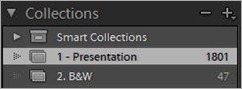
Collections1Next, we switch to Grid view, select all the images, create a new Collection and name it "1 - Presentation". With the numerical designation, this Collection will float to the top of the list of all eventual categorized collections. Lightroom first sorts numerically and then alphabetically. All the selected images are then simply put into the new Collection.  Please note, the "Virtual Copy" box is left unchecked. 

Next, while still in Grid view we move through all the images, and while holding down the Ctrl key, select about 75-100 of my favorites.  With these images selected, I click the Collections panel, create a "2 - B&Ws" collection, and add the selected images as "Virtual Copies". Why? Because I'm going to change them to B&W images.  The easiest way to do that is to just de-saturate the images and boast the Fill Light just a bit - that will make them look great.

I like to show B&W images because that is still a hot item for our clients and showing them easily leads the sales discussion to our B&W products.   Next we are going to need to get the tweaked B&W images into the "1 - Presentation" collection. 

That's easy - "Select All" and drag them to the collection.  Once there, they will still be highlighted. Grab the first one and drag it to the first spot of the Presentation collection.  All the other will follow and drop in behind.  I like the B&W's to lead the presentation because I think they make a nice preview to the entire color presentation.

Grid 2OK, all the images we plan to show our clients are ready to go.  We need to do one more quick check of all the images and fine tune color and density as needed.  We also need to finalize the sequence of the images.  Even though we time synced our cameras while shooting the event, it's just a good idea to be sure everything flows consistently in a nice story telling presentation.

Title 1We are almost finished.  Now it's time to find the two most spectacular images of the wedding day celebration.  For me it may be a dramatic wide angle image or maybe a very powerful back lit image - anyway, pick your best.  I select the first image, let's say a dramatic wide angle images taken in the church, and send it over to Photoshop for titling. You can see an example right here. 

Once the titled image is created, I send it back over to Lightroom and move it to the #1 position.  Now do the same thing with your end title and drop it back into Lightroom in the last slot of the show. Below is an example of an ending slide.

DAZNOTE:

At this point of the edit process, you could also create another collection that shows the clients images in some of your products - think framed images, collages, retouched images, even “artsified” or your own stylized images.  Creating these images before your sales presentation gives you perfect entrée into introducing those image ideas to your clients. Plant the seed it then becomes an easy increase/add-on to your sales.

I hate to say it, but this is where a lot of "Shoot and Burners" leave a TON of money on the table.  If you are into this business for real, you sure can't afford to leave anything on the table, particularly in today's economy.

OK, the sales presentation is ready to go.  Next week I'll explain our processes on how we move from upload to salesroom and how to take your beginning steps of building the sale.  See ya' then.

______________________________________________________

Hey gang, that's it for me today.  I heading out to do a quick gig for Kelby training and then I'm heading directly to the airport and flying home.  It will be good to be back in familiar surrounds again.

See ya' tomorrow from Kentucky,  David

Wednesday, March 02, 2011

"Pretty In Pink"

Pretty In PinkIMG_9528-Edit

"Pretty In Pink"
©David A. Ziser

This is one of my favorite images from my Master Class last year.  We were working in a local park on a bright sunny afternoon.  I positioned the bride in the shade but really didn’t like the very flat lighting on her face.  What could I do?

The easy answer might have been to bring some flash illumination in from camera left, but out in the bright sun you really need a lot of light output to pull it off. I know I could have used “high speed flash sync”, but that just wasn’t convenient here.

The easiest solution was to pop some light in from camera left from my “SunSpotz” reflector [link].  It gave me just the right amount of light and really added the depth and dimension to the scene that I wanted.  The tight crop and shallow depth of field resulted in a great natural light portrait of our bride.

Camera specs:  Canon 7D fitted with 70-200mm IS lens at 153mm, F3.2 @ 1/800 second, ISO 400.  Enjoy!  -David

Secret Mission Accomplished; & New iPad 2 News

Good Afternoon Everybody,

Yesterday we finished phase 1 of the special project - pictured here are a few of my co-conspirators.  Pictured from left to right is Jay Maisel, Julieanne Kost,  myself, Kathy Siler, and Felix Nelson.  The day went great and we were all excited about the project.

Secret Crowd

I was out the door early today to meet the rest of the team at an undisclosed location here in Tampa.  Today we complete part two of our secret mission.  Again, everything went very smoothly.  We actually wrapped a little earlier than expected.  I’ll give you the low down as soon as I can ;~)

Anyway, that gave me time to grab a quick lunch and tune into Apple's iPad 2 launch.  Several bloggers are blogging it live so I'm receiving the news first hand - very cool.

iPad2 News; Hot Off The Presses

iPad2Here is the latest greatest.  Yes, it is called the iPad 2 - who would have guessed?  It's 1/3 thinner - 13.4mm down to 8.8mm - WOW! I hope I don't crack it in half.  It's now dual core with graphics 9x faster.  And yes, two, count them two cameras for more face time.

And more – no retinal display this time around, iPhone/iPad hotspot hook up, and now Phone Booth now on the iPad, and the orientation switch fixed. It will now either mute or lock orientation.

The new iPad 2 will also be available in both black and white colors with white shipping first.  You can find the new iPad 2 in stores on March 11. You heard it first, right here at DPT!

___________________________________________________

Hey gang, that's it for me today.  I'm heading over to NAPP World Headquarters and filming a few D-Town episodes.  It should be fun.  Also, doing a new promotional spot for Kelby Training tomorrow.  I'll let you know when everything goes live.

Have a great rest of the day, start saving your pennies for your new iPad 2 and I'll see ya' bright and early tomorrow for another episode of Business Day Thursday: Workflow Part 3.

See ya' then,  David

Tuesday, March 01, 2011

"Night Dreams"

Night DreamsIMG_7611

"Night Dreams"
©David A. Ziser

OK, I know this isn't a wedding image but it's still one of my favorite photographs that I captured last week in Las Vegas.  It has almost a “M. Night Shyamalan” feel to it – mysterious, scary, foreboding. Here is how the image came about.  When we turn in at the end of the day, LaDawn likes to pull the drapes to keep all the extraneous light out of the room.  I, on the other hand, enjoy falling asleep to the glittering lights all around.  Whether it be Las Vegas, New York, where ever - I love seeing the lights.

During our Las Vegas trip, I did manage to keep the drapes open a few of those nights.  And as I lay there looking up at the ceiling I was very much intrigued by the "light play" going on in front of me.  I loved the random play of the various sized and shaped parallelograms on the ceiling.

What's a photographer to do when you see something pretty cool? Grab a camera, of course!  That's exactly what I did.  Because of the size of the ceiling designs I needed the widest view possible and loaded up my camera with my Sigma 8-16mm lens.

Next was the challenge in framing up what I was seeing.  I wanted to show the source of the light with necessitated that I include at least part of the window into the composition.  The light was quite dim which meant really slow shutter speeds and very high ISOs.  I was handholding the camera and even at my super slow shutter speed, I got the image I was looking to capture. A wonderful and rich textured abstract.

A little tweaking in Lightroom 3 and I had the final presentation.  The bright window hints at a mysterious presence entering from the left and spreading across the room.  The shades and shapes of light reflected offers a cool light dance to the viewer.  The image draws me into it and invites me to explore what I see even more.

OK, many of you may think I'm really reaching with today's post,  and many of you may think it's just a lousy photograph, and a few including myself may still enjoy the abstract result.  Hey, beauty, as they say, is in the eye of the beholder ;~)

Camera specs: Canon 7D fitted with Sigma 8-16mm super wide angle lens at 8mm, F3.5 @ 1 second (handheld), ISO 3200.  Enjoy!  David

I Just Feel So Vibrant Today: A Few Photoshop Tips and Tricks

Good Morning Everybody,

I arrived at Tampa, FL yesterday, got settled into my hotel and checked in with NAPP World Headquarters.  We begin working on the special project today.  I'm sworn to secrecy for the next few weeks but I promise to fill you in as soon as I can.

Ford ExplorerMy car situation that I reported on yesterday is slowing working itself out. We landed back in Cincy safe and sound on Saturday and headed directly to Enterprise. My insurance was kind enough to upgrade me to a premium rental and I soon found myself driving off in a fully equipped Ford Explorer.  Not quite as nimble as my other car but still a nice ride.

With all the latest, greatest, electronics, wi-fi, and Bluetooth gadgets, I was in geek heaven the entire weekend.  I had everything crankin' in that car including my iPhone and iPad - LaDawn was only slightly amused by all the electronic gadgetry.  Heck, it made me almost forget about what happened to my car over the weekend ;~)

Hey gang, time to get on with today's post.  Here we go...

I Just Feel So Vibrant Today: A Few Photoshop Tips and Tricks

I have to say, one of my favorite sliders in Lightroom is the Vibrancy slider.  I just love what it does to an image when used properly.  Wouldn't it be cool if you could apply Vibrancy to an image selectively?  Lightroom doesn't allow you to apply that specialized technique yet, but you do have that functionality in Photoshop.

Also, wouldn't it be cool if you could open an image in Photoshop and still have all the functionality of ACR right at your fingertips too?  Well, hit the PLAY button below and watch how easy it is to pull it off.  Enjoy!

_______________________________________________________

Hey gang, that's it for me today.  I'm out the door and heading over to see the Photoshop gang.  I'll catch you tomorrow for a short post or too.

Hope to see you then,  David