Thursday, March 24, 2011

After The Wedding: Workflow - Part 6, Making The Sale Or How To Be An Order Maker, Not An Order Taker

Good Morning Everybody,

Room with a viewDSC00310We arrived safe and sound yesterday evening, got checked into our hotel which has a great view BTW. You quickly got the feeling that wedding bells were in the air.  Several guests are arriving today and we are getting fired up for this weekend's festivities.

For me, I'm planning to take it easy a few days, work on my programs for Photoshop World, and just soak up the blue skies and sea breezes of Sarasota, FL.  I'm also looking forward to checking out Lexjet's new world headquarters just a few blocks away from our hotel.

Anyway, how about without much further ado, we get on with today's Business Day Thursday post.  Here we go...

DigitalProTalk: Why The Twitter Feed

DPT Twitter RollI just wanted to give you an update on what's going with the Twitter feed in the right column of DPT.  I am now a regular Twitter tweeter.  Here is why this is important to our DPT readers.  I read a lot of content everyday thanks mostly to my iPad apps ZiteFlipboard, and my RSS feeds.  Hey, it's what bloggers do ;~)

What Twitter allows me to do is still point our DPT readers to content which I think is interesting and relevant.  I can't blog about everything I read but I sure can point you to the posts and blogs that spark my interest.

That being said, if I was a regular DPT reader, I would check out my tweet roll too. I know that I post quite a few gems over there.  Check it now and then and see if you don't agree.

After The Wedding: Workflow - Part 6, Making The Sale

OK gang, this is a pretty important post today.  It's about sales, it's about success, it's about running your business like a pro and maximizing the client experience and your profits for the energy and Artistry you've put forth in shooting the wedding.

A while back I posted how we do things for our portrait sales.  I‘ve paraphrased that article updating it to apply to our wedding sales process.  It’s an important read – I hope you enjoy it.

It’s Time To Be An Order Maker, Not An Order Taker

Last week we peeked at the beginning of the sales process at my studio.  Let me re-iterate here.  I do not just put the images up online so my clients can choose their favorite photographs.

I've been in this business for quite a few years.  And, I was lucky enough to learn early on that proof viewing, whether paper proof's or Internet proofs were sales killers. Ever since 1980 I have been proactively involved in the presentation/sales process with my clients. Putting the photographs up online neuters any input and influence that the photographer may have in the presentation/sale.

Follow my thinking. For an example, let's use Apple's iPad 2 which was just introduced. What have you read? What have you heard about the new iPad 2? Are you excited about its new features? Are you thinking about grabbing the new iPad 2?

iPad2aI'm trying to put my whole sales process in perspective. I happen to fall onto the group that may be thinking of getting an iPad2  for the first time. Why? Because what I read online and in the various trade magazines. The word on the street is that this latest release is supposed to be the best iPad ever.

It simply comes down to this. What I have read on the iPad 2 all these influences have been building my expectation of ownership of this very cool product.

It’s About Building The Expectation

That's exactly what we have to do with our own (photography) products – build client expectation and excitement about their ownership of our (photography) product.  You never build a strong positive expectation when the client views them online.

Wedding ProductWe need to build the client's (positive) expectation for the various wedding (photography) products – albums, extra prints, etc. It's really quite simple. Are our clients coming in just to select a few images for their album and maybe a few 8x10's and 5x7's for grandma? I think that all too often is the case for many photographers  running their business.

Too many of us are simply Order Takers – what we need to be is Order Makers! It's not just about selling the standard album and an additional 8x10 or 5x7. It's about helping the client get what they want. It's also about finding out what the client may want but haven’t the expertise to ask for it.

Order takers never go that extra step to find out what their clients may be excited about purchasing. They simply take the order for the standard album and a few extra 8x10's and 5x7's. Order Makers, on the other hand, know exactly how to make that happen.

Midnight Serenade2OK, we’ve got the clients excited about what we worked so hard to create for them.  We now just have to show them how easy it is for them to get what they want.  This, BTW, is why it’s so important to have the image presentation in person with your client.

As I said last week, they like about twice as many images as we discussed when I first met with them months ago.  Remember too, I mentioned to them that if I did my best job for them, and we always do, then they would love and want more than the amount of images in the originally selected coverage.  Now here we are months later with that reality.

Innocent EyesThe secret to making any sale is that the client needs to see value in what they are purchasing.  Years ago I found that I could only sell a few additional images at my regular price – that sale years ago went nowhere.  I was upset at the outcome.  I worked so hard to create this wonderful selection of images for my client and they only left with a very small sampling of my efforts.

The next time, I got wiser a lot quicker – I offered my clients 1/2 off the lowest regular prices for the additional images.  In effect, an image is no longer priced at, for example, $30.  The additional images were now priced at only $15, BUT the minimum order had to be an additional 50 images. If they add an additional 100 images that number may reduce to $10 for each additional image over their original package. OK, this looked liked one pretty HOT DEAL for my clients – and it was.

As you can see, I sell by the image not by the number of pages in an album. We touch each image and we don’t want our albums to look like a scrapbook of tiny images scrunched onto the pages.

Rockin' OnThe number of additional images they wanted to place into their album always exceeded the 50 image minimum so all we had to do was find a number of additional images they were financially confortable adding to their album selections. 

That usually meant that we made one more pass through the image selection.  Remember, they are liking 250-275 images.  On this third pass that number may drop to, for example, 220 images – still one mighty nice collection of images for their album. They did the math in their head and new the additional cost was “bugetable” which means that they could get what they wanted in their album at a deal and not have to eliminate any additional selections.

Pole Cam2At this point, I would sweeten the deal even more.  Of the 220 images they liked, I let them know that I would be using about 20 of those images as background images for many of the page designs in their album.  And, as such, we don’t charge for those images.  That meant that they would be getting 20 of their selected images at no cost! Now that’s even a better deal!

Wait there’s more – once I added an additional photographer to my jobs, I would occasionally show up in one of the reviewed images.  It was still a good image, I was part of that image since my assistant had me in the photograph.  Now our policy in my studio is that ANY image that includes me is “no charge” to the client.  I remember the first time I said this to a client, she said, “Well sure, we want that one for sure.”  We had a good giggle and eventually added a few more images with me as part of the composition.

DAZ in PicHey, call it a PR move – how many photographers can say they are in their client’s wedding albums?  I really believe the bride enjoys not only showing off her album, but still likes to point to the photographer who captured her wedding in a very special way.

As you can see, we spend the time we need to find out what the client wants and then help them find their comfort zone so they can get the gorgeous album(s) they want.  Because of this selling process we often sell the bride and groom multiple albums. LaDawn is our lead designer and she prefers to only include 200 images per album.

My goal is for the clients to have an album or albums really sharing their dream wedding celebration story. It includes beautiful details, the romance of the day, the fun and celebration of their reception, family, friends, laughter, joy and tears.

I hope you enjoyed this behind the scenes look at our studio sales procedure and I hope you can take some of these ideas and work them into your own sales process as well.  Remember, SALES is not a dirty word – it’s a wonderful fulfilling service we provide for our clients!

______________________________________________________

Hey gang, that's it for me today.  Everybody's getting really fired up for the wedding this weekend, especially LaDawn.  We're planning to enjoy some great times with family and friends in Florida the next few days.

I don't have anything special planned for tomorrow,  but knowing me, I'll try to get at least a picture post up and who knows - probably an update or two as well.  I’ve got weddings on my mind. Anyway, check back tomorrow and see what pops.

Later alligator,  David

Wednesday, March 23, 2011

"Jumping Jack Flash"

Jumpin' Jack Flash - Jump For Joy - IMG_5344-Edit

"Jumping Jack Flash"
©David A. Ziser

This has always been one of my favorite images that I’ve taken over that last few years.  I made this image while in Florida a few years ago filming some of my early Kelby Training videos.

The weather was not perfect – we were hoping to capture an amazing Floridian sunset at the beach. But Mother Nature was having nothing to do with it.  We were keeping the bride warm in one of the automobiles as it was quite chilly, gray overcast, windy, mostly crummy day.

The groom and I were just hanging out and talking and then I got an idea.  I thought, “This is a cold dreary day, how about I set the camera to Tungsten mode, gel my Quantum with an orange filter to balance the tungsten setting, and shoot away?”

I figured, correctly so, that my exposure should have the groom be in perfect color balance, which he is; and have the sky and clouds in the distance go completely blue since that part of the scene received none of the filtered flash’s illumination.  

It worked like a charm – the colors in the scene are not what one would see in a normal setting which is what makes this image so intriguing.  I’ve since played around with the “filtered flash” technique for several other images too and always capture an interesting result.  Oh, it was the groom’s idea to jump off the fence, for a fun and unusual image.

Direct flash, no Zumbrella in this instance, just my Quantum coming in from camera right at full power and just out of camera range. As I said, the image was made in good fun – I still really enjoy the final result.

Camera specs:  Canon 40 D fitted with 10-22mm wide angle lens, F5.6 @ 1/250 second, ISO 320.  Enjoy!  -David

A Casual Conversation With Wedding Photojournalist Pioneer, Denis Reggie

Good Morning Everybody,

Blazing GloryIMG_0351I am up bright and early getting this post up loaded before we point the car to Florida and head south to the sunny beaches of Sarasota for the big wedding this weekend.  We’ve got about an 8 hour drive ahead of us, but like I said Monday, it should be a nice drive.

Our visit with my good friend, Denis Reggie, also wraps today.  Denis and I have had a great time catching up, cutting up, and sharing some new ideas and work flow solutions with each other.  When he and I get together, which unfortunately isn’t nearly often enough, we both have some creative ideas, business strategies, and software gems to share with each other.

Yesterday we also had a terrific visit with Michele Schoen, a Camtasia expert and on-line marketing specialist.  We were both “high-fiving” the possibilities Michele’s insights brought to our visit. 

Learn Camtasia logoMichelle runs an extremely successful Camtasia training site called Learn Camtasia right here. Camtasia is my software of choice for creating my Technique Tuesday’s, staff training videos, and even my casual interviews, for example, my conversation below with Denis Reggie.  Anyway, it was a great visit and I can’t wait to check out some of the resources she mentioned and  bring them to my DPT readers.

A Casual Interview with Wedding Photojournalist Pioneer, Denis Reggie.

Denis - KennedyAs I mentioned yesterday, Denis agreed doing an informal interview for our DPT viewers, so let’s get right to it. Denis, if you don’t know is one of the most respected wedding photographers in the field capturing the iconic wedding images of our time. 

Here is a quick excerpt from his bio:

“Denis Reggie is widely regarded as the top wedding photographer in the world. He single handedly transformed the look of staid bridal imagery into the natural, editorial style he termed wedding photojournalism.  Town and Country acclaimed Denis “the great wedding photographer of our day”

The American Photo cover story “The Top Ten Wedding Photographers in the World,” listed Denis Reggie first among them. Oprah Winfrey says of Denis, “the best in the business”

We had an informative and insightful conversation yesterday which I think you will really enjoy.  We covered topics from the wedding market today, marketing to the high end clients, gear, wonderful imagery, his upcoming Conclave in Atlanta, and so much more.

Why not hit the PLAY button below and enjoy the show.  I promise you an honest, insightful, enthusiastic, and sometimes funny conversation with the Master.

Denis just recently began a blog entitled, Denis Reggie Moments - a collection of tidbits, trivia, and mostly true tales from the Atlanta-based, globe-trotting wedding photojournalist – always a fun read.

Denis homeMore importantly, you need to check out Denis’ Conclave, an opportunity to awaken, empower and inspire the photojournalist within.  Here is the link to all the info. It’s coming up next month in Atlanta, GA at the best price ever!  He has photographers from around the world joining Denis to be part of the experience. 

Because April is nearly full, he has since added dates for May as well – May 18-19, 2011.  Check it out, I’ve attended in the past, Denis’ hospitality, the learning experience, and the inspiration are worth every moment.

____________________________________________________

Hey gang, that’s it from me today.  We are southbound and down in the next few minutes.  I’ll be hailing from Sarasota, FL for tomorrow’s Business Day Thursday post. 

Have a great one and I’ll see ya’ tomorrow, David

Tuesday, March 22, 2011

"Heading Home"

"Heading Home"
© David A. Ziser

I made this image while on a visit to Tampa, Florida. Since we’re heading back that way tomorrow, I thought I’d make it our image post for today.  The sun had just set a few moments earlier and was working it's evening magic on the sky. I find it intriguing that people walk away from a sunset long before the show is over. I love how the sky takes on its deep azure blue color just before the stars began to appear.

As I was watching this sunset's final chapter, I noticed a fisherman packing up his gear and started heading home. I thought I missed the shot because I was hoping to have him framed right where the sun had set (in the left third of the image.) Nevertheless, I kept shooting.

Now looking at the image, I believe he ended up in the perfect position slightly right and heading out of the frame. This illustrates even more that he is indeed was heading out of the sun's light into the evening's dusk, to home, to rest, to relax, as I hope all of get to do today.

Camera specs: Canon 40D fitted with 17-85mm IS lens at 50mm, F5.6 @ 1/200 second, ISO 800.  Enjoy!  -David

Technique Tuesday: Another Blast From The Past; FREE Web-cast Announced; & Denis Reggie Interview

Good Morning Everybody,

Sweet DriveI’ve got lots of good news for you guys and gals today – let’s get right to it.  We had one sweet drive to Atlanta yesterday in my brand new car - it felt like we riding on a cushion of air for the entire trip.  To be honest, the ride was exhilarating, not tiring as most road trips can be.  We left right at 10:30 a.m. and landed in Atlanta at Denis’s home at 4:30 p.m. – 450 miles, 2 stops, 6 1/2 hours, pretty good time.

It was good to catch up with Denis last evening - we enjoyed a few choice bottles of wine and a wonderful dinner, then turned in fairly early.  Today Denis and I are scheduled to meet a consultant who just happens to be an expert on Camtasia and on-line content.  What I’m implying  is that we are cooking up a few things for down the road at DPT.  As usual, I’ll keep you posted.

Interview With Denis Reggie A “Go”

Denis ReggieAs a surprise for our DPT readers, Denis has agreed to do a 30 minute video interview with me today.  That should be cool.  It should be cool to get a peek behind the scenes of one of the finest wedding photographers in the world.

The plan is to film later today and I’ll plan to have it on-line tomorrow, all the pixels willing.

Technique Tuesday: Another Blast From The Past!

Today is normally Technique Tuesday and normally I’ve got a new video for you.  With the long drive and full schedule today, I’m going to Plan B.  I’m re-posting a really popular tutorial from a few years ago entitled, “Porcelain Doll.”  This video has been rated one of the Top 10 videos of 2008 so if you missed it or simply need a quick review, you can catch it a second time today.

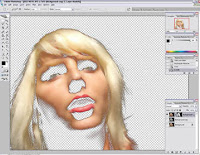
Here is the back story:  I saw this tutorial over at Stock.Xchng, printed it out, and tried to duplicate the result. It took me a few tries until I finally got it. Some of the steps are not super intuitive which is why I thought I would do a video of it.

I really like the effect and see some applications for that really theatrical retouched effect. The folks over at Imagenomic have a great Photoshop plug-in that does what looks like the same thing. We actually use it at my studio and it does a great job, but if you want to save some dollars this tutorial will do the trick. Give it a peek and see what you think.

_________________________________________________________

Hey gang, that’s  it for me today.  We’ve got lot’s on the front burner  and I’ve got to get moving.  Hey, don’t forget to check out the FREE Web-cast coming up April 7, 2011 at 3:00 p.m. DST right here at DigitalProTalk.com.  It’s entitled, “FUSION – Now More Than Ever!”  Here is the link to REGISTER right here. I’ve posted more details below, so please check it out – it’s going to be important time spent.

On that note, I’m out of here – see everybody tomorrow,  David

Free Webcast: Fusion! - Now More Than Ever! Thursday, April 7, 2011 3:00 PM - 4:30 PM EDT

Register Now LR Hey Folks, I’m announcing a brand new FREE web-cast coming up next month! I’m thrilled to have Ariane Fisher, Creative Director at Storymix Media as our presenter.

Date: Thursday, April 7, 2011

Time: 3:00 PM - 4:30 PM EDT

Here’s why I think this web-cast is so important.  Only by delivering exciting, evolving, and innovative products and services to our clients can we ever hope to achieve success in this rapidly changing digital landscape.  Fusion - the combination of still and video coverage, is at the forefront of our digital evolution. We need to embrace it NOW!

Clay Blackmore, Steve and Jen Bebb, Ken Sklute just to name a few of the top wedding photographers have embraced the Fusion concept since the Canon 5D Mark II came out 2 years ago and are enjoying unbridled success with DSLR video.

Fusion - Canon 5D MarkIIa w-videoHow do they do it?  What's their secret? Join me in our Web-cast featuring Ariane Fisher as we discuss how simple and straight forward the process really is. Ariane is an expert in the field and will share with our audience exactly what you need to make it work for you.

Ariane will cover:
- The technical aspects of how to shoot your video segments
- What are the important scenes/actions to cover
- Length and best "points of view" for the scenes
- Post-production made easy
- And much more!

Point yourself in the direction of continued success and don't miss this FREE Web-cast! 

Register here or hit Register button above. After registering you will receive a confirmation email containing information about joining the Webinar.  Hope to see you there. –David

Monday, March 21, 2011

”Star Of The Ballet”

Ballet star

”Star Of The Ballet”
©David A. Ziser

This image was created as one in a series of portraits I did a few years ago for the Cincinnati Arts.  I love photographing individuals in their natural surrounds. But, sometimes the “natural surrounds” are not desirable or what they could be.

That was the case in this image.  The lovely lady pictured in the image was a large supporter of the Cincinnati Ballet.  I was to make her portrait at the new Cincinnati Ballet offices.  What seemed like a good idea at the time turned out differently.  Because of the “newness” of the building, I was having difficulty finding a background that would work for my portrait.

I decided to switch to “plan B”. Most of the walls were a nice bright white so I quickly decided to photograph my subject against the white wall.  The ambient light was sufficiently bright to render the walls bright white.

I brought my off-camera strobe in from camera right to give me the nice separation and sense of dimension to my subject. The ratio of the flash to the ambient gave me a perfect contrast ratio.

Now for my background – I found a very previously advertised Ballet poster from years past and took a quick photograph of it.  You know where this is heading – right?  You guessed it.  I cleaned up the poster in Photoshop, extracted my subject from the white background, and recombined everything onto a pain white canvass in Photoshop.

I loved it, the client loved it, and it looked great in the arts magazine – not a bad save for a less than perfect shooting situation ;~)

Canon 5D fitted with 24-105mm IS lens at 73mm, F5.6 @ 1/200 second, ISO 320.  Enjoy!  -David

Quick Hit Monday: Denis Reggie; D-Town; iPads; Self Portraits; Inkjets; & More

Good Morning Everybody,

Road Trip2 The car is nearly packed and we are ready to head out on our two week trek to visit friends, celebrate a BIG wedding, teach at Photoshop World, and catch the Flash Bus Tour on the return.  The upside of all this travel is that we get to make it in the new car - that should be cool, assuming we can get everything packed into it. 

First Stop Tonight - Denis Reggie Studios

Conclave The first stop today is in Atlanta to visit my good friend, Denis Reggie.  We should land late afternoon early evening.  I'm hoping to convince Denis to do an interview with me that I will post on Tuesday.  Denis is one of the premiere wedding photographers in the world so it should be quite a treat if we pull it off in our short time together.  Stay tuned!

Oh, BTW, I just saw where Denis is hosting his Wedding Conclave at his home again in mid – April and May.  Always a great experience - here's the link right here.

Check Out My Lighting Tip Over at D-Town TV

DAZ on DTown While in Tampa a few weeks ago, I had the pleasure of visiting with fellow blogging buddy, Scott Kelby.  He asked me to lay down a few tips for D-Town TV and I was glad to oblige.  Heck, it was the first time to use their new set. The first episode just aired.  You can check it out right here.

I have to tell you, I have no clue how the D-Town video team gets such unbelievable great streaming video.  The quality of their production and resolution just blow you away.  I think you'll come to the same conclusion once you catch an episode.

Hot Deals on iPad 1, iPad Upgrade & iOS 4.3

I've been getting a few emails from folks asking if Apple has FIXED the problem of importing images into the iPad and iPad 2.  When Apple upgraded the iOS to 4.2 and 4.2.1, they reduced the power output to the attached devices from 100 ma to 10 ma.  That, in effect, neutered the usability of devices like the Delkin flash card reader which used to work just fine especially when uploading images to the iPad when shooting a wedding.

I talked with Terry White about it a few weeks ago and he assured me that Apple DID NOT FIX the issue with it's latest release of the 4.3 iOS.  What's  really annoying about this, is the fact that the issue CAN SIMPLY BE FIXED in the software.  Cheap iPadFor some reason, Apple DOESN’T want people to use their devices in a manner which they don't deem acceptable.  Maybe if enough folks gripe about it, the Apple militia will change their thinking.  Hey, it the reason I'm mostly a PC guy ;~)

And speaking of iPads, did you see the deals on the surplus iPad 1's ?  How about a 64 gig iPad Wi-Fi and ATT 3G for only $529!!! What a steal of the a deal!  Here is the link right here.

Self Portraits: An Exercise In Creativity

Self Portraits I have to admit, I really enjoy getting my Digital Image Cafe eNewsletter each month. It's published by Todd McMillan and his wife Cathy, two really genuinely nice people who really strive to enhance their Digital Image Cafe experience. 

Their newsletter always contains a nice nugget or two of solid information.  This month they featured an article on self portraits as an exercise to juice your creativity.  It was a nice read.  You can catch it right here.

A Gazillion Tutorials Over At NIK

OMG!!!! I had no idea!!! Something came across my desk the other day talking about all these new tutorials being posted at NIK Software.  I LOVE NIK Software. I think those folks are always on the cutting edge of product development when it comes to Photoshop and Lightroom plug-INS.

NIK Tutorials Anyway, I headed on over to their site to check it out.  Like I said, OMG - they currently have about 60 full length tutorials right here covering portrait retouching to fine art image enhancement.  Even though they feature the NIK products in their tutorials, the content is still superb.  Oh, BTW. try this secret code "DZISER" - it may still save you 15% if you decide to try any of their new products.  Just thought you'd like to know.

Thinking Of Going Inkjet? Things You Need To Know

Another great company I get to hang out with occasionally are my good buddies at Lexjet down in Sarasota, FL.  In fact, with LaDawn's son' s wedding taking place in Sarasota next weekend and us being in the same town, I'm planning to make the trip over for a visit to see their new facilities.

Lexjet printing Anyway, I just received their latest newsletter, and since I'm an inkjet printing junkie, I decided to give it a good read.  One thing led to the other, and before long I was all over their blog checking out the cool, informational articles they've been posting.  Once again, it was treasure-trove of info.

Let me quickly point you towards some of my favorites:

  1. How To Import Custom Canon iPF Inkjet Printer Profiles right here.
  2. How To Get A Free iPad right here.
  3. How Much Paper Is Left On A Roll right here.
  4. 35 Instructional Videos On YouTube Videos right here.

Some really solid information! We’ve been printing on inkjets for 8 years and Lexjet has always been my go-to resource for printers, ink, supplies, and advice. Check them out. _______________________________________________________

Hey gang, that's it for me today.  Things are hoppin' around here and we need to be hitting the road very shortly – that is if we can fit everything in the car.  Anyway, how about I check in with you tomorrow with a Technique Tuesday or an interview with Denis Reggie.

With 7 hours on the road today, I should be able to get something posted tomorrow although no promises on posting times.  Check back tomorrow and let's see what pops.

Have a great rest of the day.  If you see us on the road, give us a wave - we're the couple in the fancy car that looks like it packed up Beverly Hillbilly’s style ;~)

See everybody tomorrow,  David

Thursday, March 17, 2011

”Desert Princess”

[IMG_5365[5].jpg]

”Desert Princess”
©David A. Ziser

I thought since we’re talking about coming to Sedona for a workshop I’d re-post and image I did last year in the Valley of Fire.  Hope you enjoy it for a second time.

Here is one of the last shots I captured at  Valley of Fire. It’s a great location for "people photography" with so much variety of locations. By the time I captured this photograph, the sun had dropped below the mountain horizon. That meant it was still kind of bright since a mountain horizon is much higher than a sea level horizon. Even though the sun is blocked by the mountains, it's higher position in the sky means higher ambient light for shooting.

The background was completely shadowed offering a wonderful collection of desert colors. I positioned Elizabeth between the vertical lines of the rocks in the background which framed her nicely. I adjusted the exposure to under expose the ambient just slightly so that she "popped" from the scene. Additional directional lighting was provided from my off camera flash.

The off-camera illumination was supplied by my Quantum T5d-r firing directly at my bride at 1/4 power approximately 10 feet away from my subject. I love the unique location along with the elegant, classic positioning of the bride. This is an image you can sit back and enjoy just on the merits of the lighting and composition. It's a portrait study in the truest sense of the word. I hope you enjoy it too.

Camera specs: Canon 7D fitted with 18-200mm IS lens at 100mm, F6.3 @ 1/30 second, ISO 640. Enjoy! -David

Business Day Thursday Continued On Friday: After The Wedding: Workflow - Part 5

(Update) 

Good Evening Again Everybody,

Too much stuff going on around her this week, but I still managed to complete yesterday’s post below. It rounds out a few more areas I began discussing and leads into next week’s post.  Anyway, enjoy the read.  -David

From Yesterday---

Good Evening Everybody,

This is the post that almost did not make it up today.  Even though I had most of it written yesterday, I just simply had no time to finish today.  I’ve been at the computer since 5:30 a.m. with no breaks – whew! But I still wanted to get the partial post up – I’ll do my best to finish it up tomorrow before noon. 

Lighting, Portraits, & Wedding Workshop In Sedona June 6 – 8

Desert Dancer 2IMG_5254That’s right - I have a wedding scheduled in Phoenix June 3, 2011 so we are looking at scheduling a three day workshop in Sedona, AZ. 

It would be a hands on class with us shooting a good bit of the time and then reviewing and critiquing  our images.  This workshop would only be limited to the first 12 photographers who register.  If you are interested, give LaDawn or Jennifer a call at 800.292.2994 for more details.  Cost will be $1,495 and include 2 1/2 very FULL days! We will start Sunday evening with a meet-and-greet  sharing time. Then Monday and Tuesday will be full of technique, lighting, composition and actual on-location shooting in beautiful Sedona. Wednesday we will finish-up in the early afternoon.

This is brand new concept for us and I'd sure like to know if there is any interest in an on-location experience/workshop like this. You can also leave a comment below. I think it would be way cool!

After The Wedding: Workflow - Part 5

Last week we left this series of posts with all the images being placed on line, the client selecting favorites, and then making the appointment to have the bride and groom and their parents to visit our studio for the final album and gift print selection.  Let's talk a bit more on that today.

After the client selects their favorites from the Internet posting, we download those favorites, fire up Lightroom, and key all the "client Favs" with a 2-Star rating.  The appointment is confirmed and we are ready for the face-to-face sales presentation.  I've said it a million times here at DPT and I'll say it again - the only way you can expect a sale to go anywhere is by being pro-actively involved with your client in the final selection process.

You've Got To Get Them Fired Up!

Back in the film days before the Internet,  photographers would deliver their images in proof albums to the couple.  Historically photographers who took that tack would always be chasing down their clients to return the proof album and when they did, the final selection was always the minimum order.   Why?  Because the client is making their buying decision when the "thrill is gone" - just like B.B. King said in his great blues tune.

Speedometer - Fired Up! Think about the client excitement, the upbeat emotions in your studio, and sales potential when the client is visiting your studio knowing they have selected way too many images to fit in their album.  Your sales can only go up. 

Don't get me wrong.  If a client is super excited about your images AND you are there to share with them what you saw in your mind's eye and felt in your heart as you photographed their wedding celebration, you are truly doing your client a service in helping them tell the best story they can with their images you worked so hard to create.

If I wasn't that excited about what I had to show and share with my client, I probably wouldn't go to all that trouble for this very important meeting.  Heck, they can just select them on-line, or I'll just give them the disc - what do I care? 

I think that pretty much sums it up - if you love what you do, you WANT to share your excitement with your client.  I suspect I'll get a few comments on that point but I feel sternly enough to re-iterate it plainly here at DPT.  Too many folks make too many excuses about their lack of sales instead of making the necessary effort to work with their clients to help make the sale. I’ll get off my box, now.

It's Showtime
Today it's "Show time." All of us put a lot of our energy and effort into creating beautiful wedding images for our clients. But, unfortunately making the sale is where many photographers begin to stumble, fumble, and fall before they cross the finish line. It's sad that so many photographers are only order takers instead of order makers.

A New Way To Present Your Images

In today's post I want you consider a brand-new way of presenting your images to your clients. This brand-new way does not include the Internet, proof books, or images on a disc - it's projection! This is the single most powerful way to present your images to your clients when engaged in a personal meeting with them in your studio.

I have been projecting my images for my wedding and portrait clients since 1980. From that point forward, I watched my sales triple over what they had previously been. Why is this? It's because now when the clients see their photography in a slide show with music, they are thrilled with what you've done for them. And that thrill is partially because of the methodology and intimacy of the presentation.

Why It's Important To Your Sales

Years ago I photographed the wedding of a funeral director's daughter. The bride and groom along with parents came over to the studio to see the images. After the presentation the dad made the remark, "Wow, if I did that kind of presentation in my business, they would arrest me!" We all had a good "giggle" with his remarks. But they echo what so many of my clients have said over the years, "What a great way to see our wedding pictures!" Folks, the rest is history - I've been projecting my images with music in a slideshow presentation ever since.

When your clients connect emotionally with what you've done for them, you can always expect the sales to increase. There is nothing wrong with that. We are creating a exciting, wonderful, impacting set of memories for them. Why should these wonderful memories be devoid of any emotional connect? Heck, don't we make buying decisions based on our emotion connect with the product at hand - think new camera, iPhone, iPad, etc?

How To Set It Up

So, how do you set your studio up as a projection studio? This is really quite simple. The cost of flat-screen TVs have substantially decreased over the last several years. A quick check at B&H shows most 32 inch LCD sets under $500. [link]

Many of these TVs even include computer inputs which, basically makes him a very large monitor upon which to review the images you create for your clients. This is probably the least expensive way to proceed.

My favorite way to project my images is with the use of a data projector. This video which I’ve posted here at DPT a few years ago gives a good overview of my studio set up.

The first projector I purchased in 1999 was $6000! You can now find reasonably priced projectors that will do the job easily for around $600 [link]. As a matter of fact, just yesterday I received an e-mail from Dell promoting their brand-new pocket-size projector for only $332 [link].

Folks, the technology is right there in front of us. It's technology that can excite our clients with what we were excited about capturing for them; technology which can substantially enhance the client's studio experience and our sales.

Folks, the bottom line is this; Too many photographers are in this profession for "beer money" - a few extra bucks made on the side. I think it's time we got serious about what we are all excited about producing. I, like so many other working studios, have to make a house payment, rent payment, car payment, and cover all my other expenses. It's time to get serious about how we sell our photography if we want to be successful in this business.

Are you in this business for fun or for profit? I hope it's both. It is, I hope to still see you reading this blog next year.  Anyway, moving on…

Image Review - One More Time

OK, you’ve seen the set-up above, now let’s get started with the sale.  Even though we marked the client favorites with two stars, I’m still going to move through ALL the images one more time, albeit very quickly.  I assure the client that the review is really to catch anything they may have missed in their on-line review and that the process will move quickly. 

Remember, I’m projecting their images into a 9 foot wide ceiling mounted projection screen so they can REALLY see every detail. Invariably they will see and select about 20 additional images that were somehow overlooked on line.

Lightroom Grab

The point of this image review is to cull the favorite images down to a manageable number for the album.  So, even though we've added several images, several others have bit the dust in this part of the selection process.

This time the client favorites are given a 3 - Star rating.  After this run through of the images, we sort to the 3 - Star images and move through the images again.  This goes very quickly and is more of a final image review for the client. 

At his point we are also noting images for parents and friends too.  Occasionally the client will have a retouching request that we note separately. Going through the images only heightens the clients excitement.  Why?  Because we are getting to the "cream of the crop", the absolute favs, the ones they definitely want in their album! 

The reality at his point is the fact that they have typically selected about 250-280 images.  They may have selected one of our 75 or 100 image collections and now are saying they love easily twice as many as originally booked for.  For the record, I let my clients know at the original booking that this will happen so when it does, it's no big surprise.

We have special pricing on the extra photographs too - basically it's 50% off our regular print prices. The sales challenge now is to make the purchase of the extra image they love work into their budget.  Next week I’ll walk you through how we ask for the sale and collect the deposits.

Man, this series seems to going on forever.  I sure hope a few of our DPT readers are getting something out of this ;~)

_______________________________________________________

Hey gang, that’s it for me today.  I’ll see everybody next week. And an exciting week it’s going to be.  We head out for Florida Monday morning visiting my buddy, Denis Reggie, and eventually landing in Sarasota, Fl for LaDawn’s son’s wedding next week end.  It will be busy times, but I should still be around – see ya’ then.

Adios, David

Wednesday, March 16, 2011

”Springtime Melody”

Springtime Melody

”Springtime Melody”
©David A. Ziser

This image is a kick for me to post today.  I photographed Grace’s wedding about two years ago.  Grace worked for me years ago as one of our digital techs while she was a student at one of our local colleges.  She loved the images I produced for our clients and said if she ever got married that she would be calling me.

As time went by, she graduated, moved to Dallas, and I hadn’t heard from her for about 7 years then out of the clear blue, I get a call from her – she’s getting married!  And, you guessed it, she wanted me to photograph her wedding as she had promised years earlier.

I was honored and thrilled – this is one of the images from her wedding and was one of her favorites. We were working outdoors and I wanted to separate her from the background.  Of course the only way to do that is with a larger aperture and long lens.  I selected my “weapon of choice”, set the camera, and shot away.

Lighting, my strobe coming in from camera left through my Zumbrella, supplied the necessary illumination.  I positioned her in the composition so that the curved lines of the trellises would lead the viewers’ eye right back to my subject. I underexposed the background slightly to add color richness to the Spring foliage.  The wider aperture softened the focus on the foliage just the right amount to have Grace “pop” from the scene.

Grace just had a baby a few weeks ago – congratulations to she and her husband.  Before she found out she was pregnant, I asked her to be my model for my Fall Master Class last year.  She had to pass that last time, but I made the same request again a few days ago and she said “Yes”. So, you should see one of my favorite brides “gracing” the pages of DigitalProTalk once again in the near future ;~)

Camera specs: Canon 5D Mark II fitted with 70-300mm IS lens at 265mm, F5.6 @ 1/250 second, ISO 200.  Enjoy!  -David

Wednesday: Photoshop Love Fest Marathon!

Good Morning Everybody,

Road Trip I can't believe it's Wednesday already - this week is flying by.  Part of the reason is the fact that we are getting ready to head out next Monday on a two week road trip.  Our itinerary includes a stop with my good buddy and celeb photographer, Denis Reggie [link].  I'm hoping Denis will join me for an interview right here on DigitalProTalk.  I'll keep you posted.

Next we head to Sarasota, FL for LaDawn's son's wedding.  That promises to be a weekend full of love, fun and festivities.  I hope to have an image or two to post from the big event.

DAZ PreCon On Monday we leave Sarasota, FL and head over to Orlando, FL for Photoshop World.  Yep, that’s a pic of me with my class at one of my Pre-Cons. This year should be a real kick too.  Part of the special project I was working on in Tampa a few weeks ago figures prominently in the opening Keynote which, if you've ever been to a Photoshop World, is always a great time and will easily bring"tears to your eyes" funniness.

Flash Bus Tour After we wrap Photoshop World, we head back home but first we stop in Atlanta and catch Joe McNally and David Hobby rockin' and rollin' on their Flash Bus Tour.  We're really looking forward to their presentation.

Add to all of the above the fact that I've been preparing the program schedule for the PhotoPro Network Summer School coming up in July.  I got the speakers lined up and the schedule set but still have a few loose ends to tie up before I can give you all the details. I promise, you will love what you hear.  Anyway, with all that going on, the week is flying by. But hey, we're still having fun ;~)

Hey gang, I promised you one heck of a Photoshop Love Fest today so let's get right to it.

Photoshop Love Fest Marathon!

You know, when you're on the web as much as I am, I love nabbing website links for future posts.  Well, for the past week my internet cruising has had me exploring cool sites featuring Photoshop Tutorials. 

These aren’t  your simple dodge and burn tutorials, these are way cool links that you could spend lots of days exploring to your heart's content.  Anyway, it was fun putting the 7 links together for you so I hope you'll bookmark this post and spend a little time enjoying the links.

Here we go...

Let's kick it off with a couple of FREEBIES first.

Abstract GrungeEverybody loves FREE brushes so here we go:

1 - 60 Attractive Photoshop Grunge Brushes for Designers right here.

Leather TexturesTextures are fun too.  I think these could be cool for fashion and high school senior images:

2 - 40 Free High Quality Leather Textures right here.

And before we head further into the Photoshop tutorials check out these images:

Photomanipulations3 - 100 Outstanding Instance of Photo Manipulation Art right here.

And now a boatload of Photoshop tutorials:

4 - Useful Photoshop Tips And Tricks For Photo Retouching right here. I like the one on creating smiles.

5 - Dreamy Fantasy Art Photoshop Tutorials right here.

HDR Tuts6 - Editing Tutorials For Amazing HDR Effects right here.

7 – And even more, like 50+ more truly useful Photoshop tutorials right here.

_______________________________________________________

Hey gang, that's it for me today.  Don't forget, we've got another episode of Business Day Thursday coming your way tomorrow.  Our topic, "After The Wedding: Workflow - Part 5".

Hope to see you then,  David

Tuesday, March 15, 2011

”Quiet Beauty”

Quiet Beauty2

”Quiet Beauty”
©David A. Ziser

Is this a pretty photograph or what? Totally uncomplicated to produce with a stunning result.  I made this image a few years ago as part of a Kelby Training video.  We were working, as often wedding photographers find themselves, in a not so good looking space in the back of the church.  I knew I needed to disguise the background and make it blur into a non-descript setting for this image. 

I put the longest lens I had in my gear bag on my Canon 40D, racked it out to it’s full focal length, cropped tight, and shot away.  The background was just a small, narrow wall in the back corner of the church.  The long lens compression made the small area work just fine for this image.

Lighting was completely natural light coming in from a large window camera left.  I just orientated the bride’s face to the light to create the soft loop lighting on her face.  The natural ambient light gave me just the right amount of fill illumination for a perfect contrast lighting ratio on my subject.

We ended up with a simply executed, elegant portrait of the bride.

Camera specs:  Canon 40 D fitted with 70-300 IS lens at 300mm, F5.6 @ 1/25 second (handheld), ISO 800.  Enjoy!  -David

Technique Tuesday: Oh, The Lightroom Auto Mask Feature – I Love You, I Hate You!

Good Afternoon Everybody,

Mercedes s550 Well, it looks like the “crashed car” drama is finally coming to a close.  Yesterday, I made the final decision on my replacement vehicle. I decided against the very fast and more nimble Mercedes CLS 500 – it probably would have gotten me a ticket or two in the long run and decided on a low mileage late model S 550.

It was pricier than I wanted to pay even after the showroom haggle, but wow, it has all the “bells and whistles” and what a gorgeous ride! It should be one sweet trip to Photoshop World next week ;~)

Oh, The Lightroom Auto Mask Feature – I Love You, I Hate You!

Auto MaskBut you didn’t tune in to hear about my car, you’re looking for a  brand new Technique Tuesday.  Well folks, here it is. I hope you enjoy it. 

Oh, by the way, I used my new nifty little battery operated Fotodiox battery powered LED light I blogged about right here. The video light was used for the intro and exit video segments.  I thought it worked out really well.

Lightroom’s Auto Mask feature has always been a bit problematic for me.  Maybe it’s because I’m a heavy handed retoucher and I want Flow and Density cranked up to 100% when using Auto Mask.  But by doing that, you will definitely see some artifacts at the edges.

By using the Auto Mask a little more judiciously or less aggressively, you really can obtain a good result. In this Lightroom Tutorial I’ll walk you through two images and show you the “ins and outs” of the Auto Mask feature in Lightroom. Using it correctly can and certainly will enhance your post-production efficiency.

Anyway, hit the PLAY button below and enjoy the show.

________________________________________________________

Hey gang, that’s it for me today.  I’ve got to clean out the bank account and go pick up a car ;~)  Have a great rest of the day and I just might see you tomorrow for a Photoshop Marathon Love Fest.

See ya’ then,  David

Monday, March 14, 2011

”On Top Of The World”

On Top Of The World

”On Top Of The World”
©David A. Ziser

This is an image I made back in my early digital Nikon days.  It was actually made during one of my Digital Master Classes.  Those of you reading this and who have attended my class know the location well – Drees Pavilion, overlooking Cincinnati, OH and the Ohio River Valley. Which, with the incredible view makes Drees Pavilion one of  the most popular wedding venue locations in Cincinnati, OH.

When you check the camera specs below, you’ll find that my shutter speed was 1/500 second.  That was my favorite feature about the D1x camera, it had the same sync speed as my medium format Hasselblad – 1/500 second.  With the faster shutter speed, I could easily add richness to the sky by underexposing it slightly.  Most cameras that became available on the market after the Nikon D1x was introduced reduced the sync speed to 1/250 second – rats!

The main reason for the switch to slower shutter speeds was the fact that the sensor on the Nikon D1x was a  CCD sensor as opposed to the CMOS sensor all cameras have these days.  The CCD sensor could handle the higher sync speed than the CMOS sensors of today.  You can find more discussion on the topic right here.

This is really just a classical portrait of the bride against the cityscape of downtown Cincinnati, OH in the distance.  The pose is easy and flattering.  The light is coming in from camera left – Quantum strobe at full power pointed directly at the bride – no Zumbrella in this situation.  Balancing the ambient with the strobe gave me the image I was going for.

Camera specs: Nikon D1x fitted with 18-35mm Nikkor lens at 21mm, F9.0 @ 1/500 second, ISO 400.  Enjoy!  -David

Quick Hit Monday: Thoughts On Conventions; Some Amazing Photography; & The New Social Marketing Wizard

Good Morning Everybody,

We had a great visit to the Professional Photographers of Ohio Convention in Sandusky, OH over the weekend.  It was good to see so many friends we have made over the years.  We also had a chance to see some great programs as well. 

Thoughts On Conventions

WPPI - show floor You know, one observation I made was that the attendance seemed to be down a bit which, by the way, is the story for state conventions around the country.  I was talking with my buddy, Chuck Zix, the owner of Madison Photo Works, about the situation.  We were both lamenting the fact that so many new photographers ARE NOT “joiners” these days.  They think that they can get all the info and training on-line, and many times for free.

Sure, I think DigitalProTalk is a great resource for the amateur, aspiring, part time, and seasoned pro, but there is still nothing like getting the information in person.  You get to feel the presenters passion, you get to absorb their images up close and personal.  On line training, free or otherwise, doesn’t hold a candle to the “live” learning experience! I’ve been to four conventions this year and loved every minute of them.

To get an idea what I’m talking about, just continue reading.

WOW!  Amazing Photography

While walking the tradeshow, we stopped by the Sigma booth to visit with my friend, Dave Metz. Assisting Dave at the Sigma booth was David Fitzsimmons, a fantastic wildlife/nature photographer showing some amazing images for his new children’s book coming out in July. He showed us several images/page layout presentations from the book titled Curious Critters. These included photographs of small fuzzy and not-so-fuzzy critters, bugs, birds, snakes against a white background away from their natural environment. The visual impact and detail in his images was amazing. Check out the image of a lightning bug below.

Lightning bug

David is a photographer and writer whose works have appeared in Shutterbug, Popular Photography & Imaging, Ohio regional publications, and in recent Sigma ads.  You can get more info on David right here.  Be sure to check out his website right here – more great critter pics.

David has agreed to do a webcast for DPT later this summer to discuss his projects, books and his wonderful photography. I’m sure looking forward to the children’s book release and the time together to pick his brain during the webcast.

I’ve Never Seen High School Seniors Like This Before!

We also dropped in on the tail end of Kevin Mears high school senior/lighting program.  Wow!  I was blown away by Kevin’s work.  I’ve known Kevin for a number of years but never really knew his work.  To see it up close and personal was a visual treat!

Kevin Mears 2Kevin, who is a very friendly, soft spoken individual is producing images that scream for the attention of the viewer.  You have the same reaction to many of his wedding images too.  Check out his website right here, spend some time in his galleries, and enjoy!Mears wedding He is a master of the small strobe and small strobe technique.  He too has agreed to do a webcast for us at DigitalProTalk – stay tuned, you won’t want to miss it.

It’s All About Social Media Marketing – We Heard One of The Best!

One of the true highlights of my visit to the PPO this weekend was catching up with my friend, Bruce Hudson.  He and his son, Josh, were presenting multiple programs on lighting, composition, Groupon sales, and social media marketing.

Hudsons logo

I’ll tell ya’ young, up and coming Josh Hudson had them nailed to their seats at his SRO 7:30 a.m. presentation on social media marketing.  It was literally a packed house for his program.

Josh Facebook DVD The day before, Josh co-presented with his dad and “teased” the audience with his knowledge of social media marketing – I was blown away by both his depth of knowledge on the subject but more importantly how he strategizes his efforts to promote Hudson’s Photography.  He is truly a master at what he does. Hey, I was sold and ended up purchasing his multi DVD series and can’t wait to dig in!

Bruce and Josh lecture all across the country and were on their way to Pittsburgh next week.  If you ever get a chance to see them, be sure you do!  You can get more info on their coaching and training materials right here. And, you can check out the studio website right here.

_____________________________________________________

Hey gang, that’s it for me today.  I’m spending a little time today going over all my weekend notes – like I said, there is no better way to learn than being there up close and personal with the speakers. 

Hope to see you at the next convention!

-David

Friday, March 11, 2011

”Sounds of Majesty”

Sounds Of Magesty

”Sounds of Majesty”
©David A. Ziser

This is a photograph of one of the most famous pipe organs in Cincinnati, Ohio. It resides at Plum Street Temple – if you ever visit the area or are in town, be sure to arrange a tour of this historic landmark. The organ had just recently been restored to its original beauty and deep throated majestic sound. 

Since I have the occasion to photograph in Plum Street Temple, I received the honors of being invited to make a “portrait” of the pipe organ upon it’s completed restoration.

My challenge was to capture all it’s amazing magnificence – only problem, I have no view cameras or scaffolding to give me the perfect perspective on the beautiful musical instrument. So what to do? It was Photoshop to the rescue.

This image eventually appeared in the ISO – The International Society of Organists Magazine many months later.  Heck, now I’m internationally published ;~) It was quite a thrill and the congregation and Rabbi loved the finished result.

Camera specs:  Canon 5D fitted with 24-105 IS lens at 28mm, F5.0 @ 1/20 second, ISO 800.  Enjoy!  -David

p.s.  Want to see the “Before” image – just click the “Read more…” link below.

Before my Photoshop magic.

Sounds of Majesty - before