Showing posts with label Canon 7D. Show all posts

Friday, July 16, 2010

Shooting For Fun Friday: How A Pro Shoots His Vacation Pics

Good Afternoon Everybody,

Capital Bldg I thought I would be posting this after we arrived home today.  But as fate would have it, we are stranded in Washington National Airport till 4:00 p.m. Ugh, the life of the airlines traveler. Hey, the good news is that I’m watching the British Open and have a view of the Capital Building and the Washington Monument from the Delta Crown Room -  not a bad place to hang out if you get stranded. 

Washington Mnt We should finally arrive home about 6:00 p.m. – still time to enjoy a bit of the evening. I've said it once and I'll say it again, even though we had a great time in Boston and Bar Harbor, met some super friendly people along the way, and saw some phenomenal sites, there is  no place like home.

For LaDawn and I vacations are NEVER too restful and relaxing - we just want to see it all and are always on the go. VAC2And, we love seeing a lot of the sites on foot too - we logged 32 miles walking this trip. The funny thing is that I never lost a pound either - go figure. So, like they say, we're finally back home and can relax for a few days;~)

Since we're on the subject of vacations, I thought I'd give you a little insight into how I, as a professional photographer, handle "vacation" photography.

Just Shooting For Fun: How A Pro Shoots His Vacation Pics

So if you are a professional photographer, how do you cover your vacations and other leisure times? Do you carry all the heavy artillery - cameras, lenses, flashes? Or do you pack on the lighter side and just take along the bare essentials? Let me share with you how I handle the photographic side of our free time and a few images from this trip.

Packing The Gear

When we pack the bags for vacation we keep it pretty light gear-wise. That usually means my 7D for me and a 40D for LaDawn who loves to shoot too. And we carry spare batteries and chargers for both.

Both cameras are fitted with an 18-200mm IS lenses. The 18-200mm IS lens work very well as "almost macro" lenses too. They focus really close. This is a great all around "walk about" lens because of the wide focal length range and it's close focusing capabilities.

VAC6

I usually pack a wide angle lens too. I just love the look of the wide angle images. In the past that lens has always been my Canon 10-22mm, but on this vacation it was the wonderful new Sigma 8-16mm super wide angle lens - what a blast to shoot with that lens! I need to take a closer look at my images, but early reports show it to be a real wide angle gem.

And last, if space permits, I also like to pack my 100mm Macro IS lens too. I've been a "macro nut" since my early days as a photo enthusiast and have always loved getting up close and personal. Shooting with the macro just gives you a different way of seeing the world.

VAC1

Sometimes I'll throw in one of my 580 EXII flashes just in case. And yes, I'll throw in my Quantum radios too. You just never know when you might need some extra light. Add to that a very small and light tripod and my Zumbrella, 4 - 16 gig cards, and we are almost ready to go.

And lastly, I do pack a little Canon ELPH camera if during our travels we want to go "really portable".  A good example is when heading out to dinner we don't want to take the heavier gear.

The Easy Camera Settings

OK, we are ready to go. Next I get the cameras set to their most general settings. That makes shooting really fast and easy. Heck, I'm on vacation - I don't want to think about work.

Both cameras are set on AWB, Auto ISO, and Program mode. The 7D is set to medium Raw and 40D is set to full RAW. Basically that gives me the same size file for storage and post production for both cameras.

VAC7

Wait, I'm a pro so I set the camera to a few "contingency" settings just in case I encounter a shooting situation that requires a bit more control. I set the Shutter Priority to a shutter speed of 1/125 second just in case the situation calls for a faster shutter speed. Aperture Priority is set to F 5.6 just in case I want to shoot with a much more shallow depth of field.

In Manual mode I've set the camera to the most common settings I need for the time of the day I happen to be shooting. If I need to control how the sky is being rendered or need to open up the foreground, switching to Manual mode and fine tuning the settings assures me that I'll get the result I want.

And lastly, if I'm shooting a scene that happens to "blow me away" I'll switch to large RAW just to be sure I have the best digital file I can capture.

The Shooting Routine

When we travel I'm going to be sure I get all the "record shots". That is, I take shots that document the places and locations we visit. But more importantly, I'm trying to capture some great images that are exciting visually.

VAC3

Even when on vacation, I'm paying attention to lighting, color, contrast, composition - all the visual elements I need to create a good image. And yes, we will even rise at the crack of dawn to get the shot if that's the time of the day when the light's right.

VAC5

I love shooting then"urban landscape" images that you see here at DPT now and then. I also love shooting the landscape images too. You've seen a few of them this week as "picture of the day" posts. Detail shots of the locations we visit, wildlife, human interest and "people pics" are all part of the shooting repertoire.

Many times, I like to select just the wide angle lens or the macro and just keep it on for the entire day. That forces me to see differently and makes it fun creatively with that particular lens constraint. It sort of gets the "brain juices" flowing because you must look at things differently before you shoot and then decide how the scene would be best rendered with that particular lens.

As you can see, it's the shooting routine that makes the photography fun and a big part of our travels. We wrapped this trip with about 3,000 images by the time we arrive back home.

Post Production

At the end of the day's shooting - every day is a shooting day, and usually over an adult beverage, I load the cards into the card reader, rename the day's DCIM folder on the card to something like "DZ Boston1" and them copy that folder into a newly named trip parent folder on an external drive.

VAC4

Next I fire up Lightroom 3 and import the images making standard size previews during the import process. This usually takes a while, but once imported, we give them a quick glance to see and quickly evaluate what we captured and which images are our favorites.

At this point, I may select an image or two for DPT, run it through the LR3 prep and have it ready to go for the next day. This is really the fun part of the day - it's fun just seeing if you got what you were shooting for and tweaking the images in Lightroom 3 for best presentation.

I repeat the process each day so that by the end of the trip everything is nicely organized and ready to be backed up to the server and DVDs when we get back home.

Once we are back at the studio, LaDawn and I will review all the images and select a few for our fine art collection, printing off one or two of our favorites making large prints, sometimes on canvass, for wall decor in our home.

VAC8

Finding the best images is an on going process from trip to trip. The goal is to continue to enrich our fine art image collection for further projects down the road. I'll tell you, when we go on vacation packing the cameras along, we are far more involved with the trip than regular tourists and I feel more intimately connected with what we see. We love our daily shoots and it's a big part of the enjoyment we get out of travels. Besides at our age we just can’t rely on our memories to revisit the trips.

Anyway, just thought you might like to peek.

______________________________________________________

Hey gang, that's it for me today. It's been a great trip to New England these past several days and we can't wait to take a closer look at all the shots. We have a "huge" week next week so these next few days off back home enjoying our images and just relaxing will be fun.

I hope all you guys and girls are enjoying a relaxing weekend also. Be good and I’ll see everybody again on Monday.

See ya' then, -David

Wednesday, July 14, 2010

Wednesday’s Great Debate: Canon 7D or 5D Mk II - Which One Is Best For Wedding Photography?

Good Morning Everybody,

I not sure what happened, but between Monday and Tuesday in Bar Harbor, Maine, it looks like the word got out that must be the center of the universe for summer travel. Parking lots to the top sites in Acadia National Park were just overflowing with cars yesterday. In fact the cars overflowed the parking lots onto the roads throughout the park in spite of the signs posted to the opposite.

Classic Cars Whew! We tried to take the hike around Jordan Pond but couldn't even get close enough to park. Things were not looking good yesterday for exploring the sights. But, like they say, if you've got a lemon, and were having a lemony day yesterday - then make lemonade. We headed across over to Seal Cove and sought out the recently opened Seal Cove Auto Museum [link].

There is only one word to describe this experience - unbelievable!!! They have a collection of classic cars valued over $15,000,000! The car collection features cars from 1895 to 1917 and most of them were in brand new condition. On our way out of the parking lot, a classic Stanley Steamer pulled in. I’d only see them in the old movies. Now here was one up close and personal and running like a top.

If any one reading this post makes it up to the Bar Harbor area, be sure to make this a stop on your itinerary - definitely worth the visit. Our thanks to DPT reader Tim Jeffries who posted the suggestion here at DPT last Friday. Thanks again Tim!

OK, time to get on with today's post, "Canon 7D or 5D Mk II - Which One Is Best For Wedding Photography?" Inquiring minds want to know. Here we go...

Canon 7D or 5D Mk II - Which One Is Best For Wedding Photography?

Most readers of DPT know I post several images made with my Canon 7D and not too many from my 5D Mk II. I also gets lots of emails asking my advice about which camera makes the best wedding camera.

Canon_7D_1 copy OK, are you ready? Here is my answer - get the Canon 7D and use the money saved, about $1,000, and pick up another lens. There, I said it and I think it is the best advice I can give on the subject. Sure, the 5d Mk II is a great camera, but the 7D is just more nimble for shooting weddings. And now with the new Sigma optics available, I can get everything I want photographically for my 7D.

Want to see my 8 reasons for choosing the Canon 7D as my favorite wedding camera?  Hit the “Read More…” link below for the rest of the story.

Here our my 8 reasons for choosing the Canon 7D for your first and possibly only wedding camera.

1. The camera is priced right and has a lot of "bang for the buck". It's easy, fast, and intuitive to use on the job. It's lightweight - do not buy the extra battery grip. It only adds more unnecessary weight to the camera. The battery that comes with the camera lasts nearly an entire wedding anyway.

2. It has plenty of megapixels to get the job done. I mean, how many mega-pixels do you need these days? I shot my first digital wedding in 2000 with a 3.2 megapixel Fuji S-1 Pro. The images looked great.

The 7D's 18mp is plenty for a wedding. We are printing up 24x36 images routinely with this camera. Who cares if you pick up a few more megapixels with the 5D Mk II's 22 megapixels. It's just not a deal breaker with me. Like I said, save the extra bucks for another lens.

3. The 7D is a much more nimble camera for shooting weddings. It focuses more quickly and just responds more quickly on the job. The quicker frame rate on the 7D just feels better to me. A wedding is a place where a camera with quick reflexes is important.

Canon 7D Video Switch 4. The video controls are a lot more convenient to use on the 7D when compared to the 5D Mk II. I don't have to move the camera away from my face when switching to video mode. I did a video post right here showing how easy and fast it is to get into video mode with the 7D. To me, this is a BIG deal when shooting video on a wedding.

5. Low light sensitivity is OK - alright, really good with the 7D, not as good as with the 5D Mk II, but still good enough. I can easily shoot at ISO 3200 with no problem. Lightroom 3 has turned a lot of cameras into "low light wonders" with it's amazing new noise reducing algorithms. Here is my link to my “Noise, Noise, Go Away”  post here at DPT exploring LR3’s noise reduction capabilities.

Heck, in a pinch, the 7D can shoot at ISO 6400 with the images processed in Lightroom 3. And you know what, the next iteration of the Canon 7D I'm sure will be even more low light sensitive.

6. I like the fact that I get a 1.6 magnification factor with the 7D. That means my Canon 70-300 IS DO lens really gives me a 480mm focal length fully racked out! Bird watching anyone ;~)

Sigma 8-16mm 7. With the 10-22mm lens on my 7D, I always thought I had just about all the "wide angle" at 107.5 degrees view that I ever needed on the 7D. I was still slightly envious of the 122 degree super wide angle field of view with my Sigma 12-24mm on my 5D Mk II, but that 5D Mk II advantage has nearly disappeared with Sigma's introduction of their new 8-16mm [link] 114.5 degree view super wide angle lens for the APS sized sensors for cameras like the 7D.

It was the introduction of that lens that will be making me a full time 7D shooter on my weddings. Sure, I'll keep the 5D Mk II in the bag for the really low light conditions, but it won't be coming out as often as I previously might have used it.

8Canon Pop up flash . And lastly, you'll think I'm crazy on this one, but I like the pop up flash. Nope, the 5D Mk II doesn't have it - I wish it did. Why in the world do I like the pop up flash? Simple, at the end of the evening, after all the gear is packed and we are walking out the doors, somebody always wants one last shot.

It's typically one of the guests who just wants to smile for the camera one more time, but we always take the shot. With the pop up flash, we get the job done, the guest is happy, and we can be on our way without digging back into the gear bag. The pop up flash on the 7D just offers a simple end of the evening convenience.

So there you have it - why I prefer the Canon 7D as my main wedding camera. For family portraits, I'll still be using my 5D Mk II for the higher mega-pixel count and lower inherent noise. But when it comes to weddings, the Canon 7D is the camera to go with - even if you are a Nikon shooter. Wait, wait, just joking :~).

The fact of the matter is that we photographers are in the drivers seat when it comes to camera gear. The camera manufacturers - Canon or Nikon - keep coming out with cheaper, faster, better gear for us, the photographer. Both are great camera systems, just spend some time and see what works best for you. When it comes to weddings, it's the 7D for me.

DAZNOTE 1: I know a lot of folks are going to ask if their back up camera should then be a Rebel T2i. A giant "Negatory" on that one. Why, NO external flash sync. The lack of that single feature is a GIANT deal breaker for me. Granted, I'm a big off camera flash kind of guy. But that's why, as a wedding shooter who loves his lighting, I would opt for a second 7D.

DAZNOTE 2: Please no nasty emails from Rebel owners on this point. We've already been there and done that earlier this year. I think the camera is great for what it is and I recommend it to folks wanting and entry level SLR. I've thought about picking up one for myself for a vacation camera. That is to say, I recognize what a value it is to many photographers, but the not having the external sync always has me opt out of my buying decision.

______________________________________________________

Hey gang, that's it for me today. We're kind of socked in here with fog and rain at Bar Harbor today but are still hoping to get our for one more sight seeing trip. How about I see everyone back here tomorrow for another episode of Business Day Thursday entitled, "I've Got To Get Home To See The Love Boat".

I know I've got you guessing on that one. Just tune in and see what I'm talking about. I promise you, it's about good business practices.

See ya' then, David

Wednesday, June 16, 2010

Wednesday: I've Got To Focus, Really Focus Today

Good Morning Everybody,

Well, the best laid plans went astray for today.  I was planning to be on an all day portfolio building photo shoot, but the rain over the last several days has put a damper, (no pun intended) on today's session.

Sharpening LRYou know, one of the best ways to "sharpen the saw" as they say, is to practice.  How many of us take the time to do just that? Unfortunately, not many - heck, me included lots of times.  That's why I was looking forward to today's shoot. 

The good news is that I'm doing a shoot for are state KPPA Summer  School on Monday - it's only for a few hours but it will still be fun because it's in a location I've never photographed in before.  I'll share a few images with you next week after we return.

As usual I’ve gotten a little off tract, but why don't you think about it.  Why not get a few like minded photos together, hire a few models from Model Mayhem or Craig's List and just go out and PRACTICE.  I promise you, you'll enjoy it ;~)

I've Got To Focus, Really Focus Today

Have you ever really practiced how to focus?  I know, right off the bat, you're thinking I'm crazy for even bringing it up.  You're thinking, "David, the cameras all have built in focusing systems.  Why do I need to KNOW how to focus?  The camera does it for me."

 Blur1Well, you are absolutely right to say the cameras have built in focus, but I can tell you from experience that lots of folks don't know how to use the camera's built in focus functions.  I was teaching one of my Master Classes a few years ago.  By the way, our next Master Class Workshop [link] is scheduled for October 18-22, 2010.  Anyway, we were photographing a bride on the stairs at one of my favorite wedding venues, the Phoenix Club, in downtown Cincinnati.

I was showing the class how I was framing up the bride in the composition and thought I was getting some exciting images.  One of the class members stepped in to try to duplicate the shot and was surprised by her really blurry result.   She showed me the image on her LCD screen and it was definitely blurry.

Hit the “Read More…” link below for the rest of the story.

Auto Focus 2I did some further checking of her camera settings and discovered that she really didn't understand how the focusing features worked on her camera.  

She had ALL the focus spots activated so when she set up my shot in her viewfinder with the bride in Quadrant #3, guess what? The camera didn't know it was supposed to focus on the bride.  With ALL the focus spots activated, it simply focused on the object closest to the camera, which, as you can see in the photograph, was the marble staircase railing. 

Blur2In her shot, the railing in the viewfinder was in sharp focus, but because on the large aperture we were shooting with, the bride went quickly out of focus because of her greater distance from the focus plane.

Why do some folks have this problem?  You know, back in the days of film and manually focused cameras, photographers all did the same thing - focus on the subject and then reframe the image for the best composition.  It was just the natural thing to do.

Maxxum2With the advent of auto focus cameras….. Who can remember brand and model?  It was the Minolta Maxim 7000 introduced in January 1985!  I had one of the first cameras available.  It was way cool how it worked - no more manual focusing I thought till I discovered I was having focusing problems with an AUTOFOCUS camera!

I quickly learned that if I focused on the subject, then held the shutter button down half way to hold the focus and then reframed the shot, my problems went away.

Today we have cameras with a gazillion focusing points, we can even dial in whichever one we want and just shoot away.  But what is the best and quickest way to shoot?  Turns out that the technique I used in the old film manual focus days works just fine in this brand new digital millennium of ours.

So this is a long story with a short conclusion.  How do I focus when I’m shooting? 

Focus 3 Simple. I first set my camera to ONLY use the center focusing spot  on the focus grid.  Now I can quickly grab focus on the subject, and with the shutter button held halfway down, I can quickly reframe the composition and get my best shot without losing focus on the subject.  That, by the way, is how I have all my cameras set up - center spot focus only. 

I need to point out that this is NOT how I would set up my camera when, say shooting fast moving sports where the center of interest is quickly changing.  But for me, as a "people photographer", this is the only way to shoot if you want to be assured of rock solid focused images.

DAZNOTE:  You can find a additional information on the Canon 7D at Imaging-Resource.com right here.  They have a nice write up on focusing as part of their hands on user report.

If you've been having focusing issues, you just may want to give my technique a try.  May all your pixels be sharp from this point forward ;~)

__________________________________________________

Hey gang, that's it for me today.  We've a BIG project we're working on this week and I need to get back to work if we are going to pull it off.  More later.....

Everybody have a great day and I'll see you bright and early tomorrow for another very profitable Business Day Thursday. 

See ya' then, -David

Wednesday, June 09, 2010

What's Up Wednesday: Canon 7D and High Speed Flash Sync; Album Design Webcast Update – More Prizes; & Yes, I Was Agent 007 In A Previous Life

Good Afternoon Everybody,

Boy, yesterday turned out to one of those days where the "bear got me". You know what I mean, too much to do and too little time to do it. I just barely got the Technique Tuesday post up by late afternoon - whew! That's why I posting late again today - I like the posts to have about a 24 hour "life" before the next post hits.  I'm hoping things go easier today.  That said, let's get right to it...

Canon 7D/High Speed Flash Sync Issue Solved!!!

HSFS - 580EX-II The  "High Speed Flash Sync" issue I experienced on Sunday, kind of through me for a loop.  NEVER have I had anything happen like that.  I know my gear pretty well and read all the manuals cover to cover just to avoid any surprises like I experienced on Sunday.

On Monday, I ran "HSFS" tests on ALL my Canon cameras even going back to an old 20D I had on the shelf.  All of them worked as expected EXCEPT my 7D - I was baffled.  I decided I'd have to go the the BIG guy at Canon and see if I could find a solution to my problem. I called Chuck Westfall, super Canon camera guru and all around nice guy.

Mr. Westfall was gracious enough to take my call.  I laid out the entire story to him. I assumed I must have found a "bug" in the 7D.  Chuck got right back to me and asked me to check a few settings.  Here is the main body of his email:

0002-HSFS issue-IMG_9728 "...Please check how you've set Custom Function I-7 on your 7D? This is the C.Fn for "flash sync speed in Av mode." If it is set for option 1: "1/250-1/60sec. auto" or option 2: "1/250 sec. (fixed)", those settings would prevent the 7D from setting any shutter speed higher than 1/250 when the flash ready light is on. Therefore, if you want to use Hi-Speed Sync in Aperture Priority mode on the EOS 7D, Custom Function I-7 must be set to its default, option 0. 0001-HSFS issue-IMG_9717 (I hope you understood this explanation because I have NO clue….LaDawn)

Incidentally, the other cameras on your list (20D, 30D and 40D) don't have the 1/250-1/60sec. auto option, but they do have the 1/250 sec. (fixed) option. With that setting, they have the same behavior as the 7D, i.e., shutter speeds higher than 1/250 are prevented in Aperture Priority mode when the flash ready light is on.

I did check, I couldn't believe it - my camera WAS SET TO OPTION 1: "1/250-1/60sec." - not AUTO – as shown in the bold bordered image above.  I have no clue how the camera got set to the Option #1 setting since the 7D, just like all the other Canon cameras, always default to the "AUTO" setting as shown.

I know a few of you commented about having the same problem - check you settings, set your C.Fn for "flash sync speed in Av mode"  to AUTO and all should be resolved.  I feel like I have a little "egg on my face" with this one. My thanks to Chuck Westfall and Canon for their quick response in solving the issue.  It’s back to the manual for me;~)

Update On My Fast and Easy Album Design Webcast Coming Up Wednesday, June 23, 2010

Album Webcast Logo2Last week I announced my brand new Webcast [link] which will cover all things digitally designed - including wedding albums, high school senior collages, portrait products and more.  I'll show you how to speed up your design process by 300% in many cases!

Here is the deal though - we are nearly half full already! Remember, only the first 1000 to register will have a guaranteed seat at the program, so "come on down" and register now right here if you want to catch the program.

We are GIVING AWAY over $1,000 in door prizes during the program!  B&H just called me two days ago and said they would send two $50 Gift Cards to "sweeten the pot" . High fives to B&H! Hey gang, don't miss the program - it will be fun, informative, and profitable for you - I promise!

So Mark Your Calendars For

Wednesday, June 23, 2010 at 2:00 p.m. EDT

Please register early to reserve your seat.

Register Here!

Update On Yesterday's "Lightroom 3 Secret Settings" Post

I was fired up when I put up yesterday's post entitled, "Lightroom 3 Secret Settings" [link] because I thought it would be a BIG time saver for lots of photographers.  My thanks to Robin from the UK who commented:

"Robin here from the UK, there should be thousands of thank you comments here, I just tried your preset out and it works beautifully, thanks so much for sharing valuable info that most guy's would keep to themselves."

If any of you guys and girls have any additional "Import Preset" suggestions for our DPT readers, please leave them in the "Comments section below.

Yes, I Was Really Agent 007 In My Previous Life

You know, hanging out with the Kelby Training video guys is always a "kick."  After we filmed my latest Kelby Training video which just went "Live" this past weekend [link], we shot some additional footage for the trailer.  I had no idea how it was going to come together and had nearly forgotten about it until I received an email asking me to review the just finished trailer.

It is a hoot.  Hit the PLAY Button below - it's a great "giggle."


No More TTues Tutorials On iPad/iPhone - Why

Just a quick note about yesterday's Technique Tuesday - for the iPad users of the world  you'll notice that the video won't play on your iPad this week. Why, because I uploaded to Vimeo instead of Viddler.  Here is the deal.  Apple has been doing a little "saber rattling" about NO FLASH on any of it's products even though 70% of the video content on-line is Flash based.

Apple goes on to point out that Vimeo videos play just fine on their products.  Well, that's HALF TRUE.  Yes, you can go to Vimeo and watch any of the Vimeo videos on your iPad or iPhone.  The "minor" little hitch is that the EMBEDDED Vimeo videos DO NOT play on these devices - go figure.

iPad/iPhone users can find yesterday’s tutorial right here.

Viddler, on the other hand, is in beta testing (because of the Apple "arm-twisting" on Flash) whereby their EMBEDDED videos WILL PLAY on the Apple devices.  I've always posted my tutorials on Viddler and the last 2-3 tutorials I posted under their beta program work just fine on the iPad.

The whole APPLE/FLASH thing, I think is an affront to the users spending their money on Apple products. Apple, get over it.  And, they say Microsoft wants to rule the world.  Boy, I sure see it differently.  End of RANT #47.

OK you say, so if the embedded Viddler videos play on the iPad why don't I continue to post my videos to Viddler?  Well folks, it's a matter of economics. It seems my bandwidth usage is a bit higher than it should be for a free account and I got moved over to a business account two months ago.

The Viddler people are nice as can be and tried to work things out for me $$$ wise.  But the fact of the matter is that I just receive my second billing from Viddler for nearly $200 for the month - ouch!!! 

DigitalProTalk is a FREE resource for any photographer wanting to read it.  I love getting it up there for you guys and girls, and even though I love ya' - I don't want to pay $2,400/year so a few can watch the videos on their iPad/iPhone.  Hence, the move to Vimeo  where I pay only $100/year for my pro account.  Who knows, they may call one day and say my usage is still to large for my Pro account. Time will tell. 

So, in order to keep costs down, I'll be posting future videos to Vimeo for the foreseeable future - my apologies to the iPad/iPhone users out there.  You'll have to take it up with Apple ;~)____________________________________________________

Hey gang, that's it for me today. We've got a few projects to wrap up this week and I hear my team calling.  I'll see everybody tomorrow for a brand new money making, profit building, success inspiring Business Day Thursday!

See ya' then,  -David

Wednesday, February 24, 2010

PhotoFAV Wednesday - Still To Video Mode Switching On Canon 7D

Good Morning Everybody,

Hey, a few quick notes before I get started today.  Don't forget to sign up for the FREE Web-Cast entitled, "Captured By The Light" coming up next week. Here is the link right here one more time.

I'm introducing some of my favorite sections of my new book by the same name so it should be quite an informative seminar on lighting, composition, and flash usage.  We have over 500 people signed up so far!!! Hope you can make it.

Canon 5D MarkIIa w-video Wow!  What an experience I had over at LensFlare35 yesterday during their "LIVE" web-cast on "HD DSLR’s, Fusion, Convergence, Video & Film making." I felt a little like a gold fish in the BIG blue sea.  These guys, Zacuto’s Steve Weiss and Kevin Shahinian are at the top of their field when it comes to video. Be sure to check out their links names above - amazing videos!!!

Steve was talking about his upcoming DSLR shoot out to be announced around March 15, 2010.  They were comparing the new HD DSLRs video capabilities to film - differences and similarities when it comes to shooting real movies.

terminator-salvation-poster2 In the conversation, it was also amazing for me to hear so many production companies that are using the Canon 5D Mark II and Canon 7D for their cameras of choice in film-making productions.  Want a quick example - how about Terminator Salvation - Yep, lots of this film-making was shot with the Canon 5D Mark II. Another story came up about a filmmaker using 15, count them 15, 5D Mark II's and 7D's to shoot a commercial for the Navy.

The list goes on and on - you've got to check out the conversation over at LensFlare35.  The very candid, unedited version of our conversation can be found right here at BlogTalkRadio.com- utterly fascinating!!!

On that same note, but on a much smaller scale, let's get on with today's post.

Still To Video Mode Switching On Canon 7D

Anyone reading this blog knows I a big fan of the video capabilities of the new cameras on the market.  When I got my hands on the Canon5D Mark II over a year ago, I couldn't wait to try the video.

As we all can see, it's been a game changer for professional photographers and film makers as evidenced by the conversations we had at LensFlare35 yesterday afternoon.  Anyway, that said, most photogs are not at the level of a Vincent Laforet or Philip Bloom when it comes to video expertise.

DAZNOTE:  Be sure to check out these guys blogs which are linked above.  Each has an unbelievable amount of information posted.

Most of us like the built in video for its utter simplicity for adding a brand new flavor to wedding/portrait/senior coverages. So what's all this got to do with with PhotoFAV Wednesday?  It all has to do with the video controls.

OK, this is where the "engineer" in me comes out. Check out the first part of the video below.  In this 1:20 minute video I'm showing you the steps necessary to go from "still" to "video" mode. View, focus, pull camera from eye, hit live view button, the start video - WAY to slow and not fluid.

Now check out the second section - it shows me switching modes with the Canon 7D.  View, focus, switch to video, start video, pull camera from your eye and follow the action - super fast and easy. That's why the "mode switching" feature (button layout) is one of my PhotoFAVS for this week. 

Now I can be shooting the action, and then at a moment's notice, switch to video to get a quick 4-5 second video clip of the event, and then be back to "still shooting" in no time.  The entire process is an entirely fluid, efficient motion.

I will admit, switching modes takes a little getting used too, but once you've got it mastered, your video possibilities really start to open up especially for the wedding shooter.  That's why it's one of my PhotoFAVS for today.

______________________________________________

Hey gang, that's it for me today. It's back to real work.  How about I see everybody tomorrow for another episode of Business day Thursday.

See ya' then,  -David

Friday, February 12, 2010

Friday Frenzy: Canon 5D Mark II vs Canon 7D - Which One For Weddings?

Good Afternoon Everybody,

DAZ with Books Yes, it is Friday Frenzy around here today.  I know a lot of you are looking forward to receiving your copy on my wedding book.  Good News! We just received 500 copies of my "Captured By The Light" wedding book show up on our doorsteps this morning.  It looks like I'm going to be autographing a lot of books over the weekend. And, it looks like we will be shipping on Monday!! THANKS again for all your patience and understanding as we prepare the books for shipment.

Also, it's official. My book is also shipping from Amazon, Barnes and Noble, Borders, and Peachpit.  Amazon's stock went up yesterday. Heck, maybe it’s because of my book sales ;~)

Amazon Stock

Remember, you can order an autographed copy from our Digital Resource Center [link] or a regular copy (unsigned) from your favorite bookseller by using the widget on the right ->

Hey, and don't forget to sign up for the free "Captured By The Light" webinar too.  You can do that by hitting the link on the right or by clicking here. I'll be walking you through some of my favorite sections of the book. We've got nearly 150 signed up so far and the room will hold up to 1000, so don't be shy - come on by.

I have to admit, this is all pretty exciting.  Again, my thanks to Scott Kelby for his encouragement and support through the entire book writing process.

OK, time to get on with today's post.  Here we go.

Canon 5D Mark II vs Canon 7D - Which One For Weddings? 

Canon 7D-b This question keeps popping up on the Skribit widget on the right - yes, I do review each suggestion - and take note of all your emails suggestions as well.  So today I thought I'd discuss the issue in depth.

Hit the "Read More..." link below for the rest of the story.

I bought the Canon 5D Mark II right after it came out back in October 2008.  I loved the much higher resolution sensor (21.1mp), high resolution LCD screen, the new super high ISO's, and the video capabilities.  The camera is currently selling for $2,500 and worth every penny.

I also purchased the Canon 7D the day it became available back in September 2009. I liked the much higher resolution sensor (18 mp), high resolution LCD screen, the new fairly high ISO's, and again the video capabilities.  The camera is currently selling for $1,600 and in my opinion is a "steal of a deal"!

Having said that, let me give you my impressions of both cameras as tools of the trade for shooting weddings. Now I have been a BIG fan of the 40D since it was released.  It was a great wedding camera - accurate LCD screen, decent resolution, decent low noise characteristics, fast and easy to use.

So, right off the bat, I loved the new higher resolution LCD screens on both cameras. It was driving me crazy to shoot both the 40D lo-res LCD along with the hi-res 5D Mk II LCD so I jumped on the 7D when it came along to make that frustration disappear.

Camera resolution is not that big of a deal for me. How many mega-pixels do you need to shoot a wedding?  I think the "sweet spot" is about 10mp anyway. That said, resolution does come into play for family portraits when the final print could be 30x40 inches. 

Canon 5D Mk II The 5D is the perfect tool for the portrait photographer, but I really don't need 21.1 mp for weddings.  The fact of the matter is that I usually shoot the 5D Mk II at medium RAW anyway, reserving the higher res setting for large groups only.

I also thought the 5D Mk II's low light focusing was better and faster than the original 5D.  Oh, and I love the video capabilities of the 5D Mk II as well. What a cool feature for any wedding photographer.  Now I can grab snippets of the day for my Animoto shows.

I also loved the 3 custom setting I could use to basically give me 3 cameras in one.  I covered that in a previous post right here.

The high ISO capabilities of the camera blew me away.  I could actually get by shooting at ISO 12,800, albeit a bit noisy but nothing NIK Dfine 2.0 couldn't fix. But, you know, those new high ISOs let me capture images I couldn't get before.

The higher ISOs also let me shoot my routine candids at a ISO 800, 1000, 1200, and 1600.  And you know what that means - less flash power needed for each shot which translates into MANY more shots per charge.  I don't even go through a set of batteries these days on a job and I typically shoot A LOT of images.

And lastly, I loved the super wide angle view I could get with my full frame 12-24mm Sigma lens.  A full 122 degrees rectilinearly corrected view - WOW!

Needless to say, the 5D became my wedding camera of choice for a number of months.

Finally the Canon 7D came out last September - I jumped on it. I couldn't wait to put that baby through it's paces. Well, I've been shooting with it for about 5 months and I'm loving it. Here's why in no particular order.

1. Less mega-pixels - remember my 10mp "sweet spot" - 18 megs is plenty big for wedding photography.  Medium RAW gives me 10.10 Mega-pixels (3,888 x 2,592), equal to the 40D's 3888 x 2592 pixel count, uhmmmm...

2. Nice bright hi-res LCD - I'll never go back to the lo-res version on earlier models.

7D 3 Cs3. The 7D has those 3 custom settings on it too - three cameras in one again.

4. High speed continuous shooting at 8 fps.  Hey, I don't use it often, but it's nice to know I have it when I need it.

5. I love the video options and, the on board mic is better than the 5D Mark II.  The 5d Mark II's internal mic would always pic up some weird internal noises that the 7D does not.  An outboard mic is best, but in a pinch the 7D's mic works just fine.

6. Pop up flash.  OK, I know what you're thinking, "Ziser, get real.  Who uses a pop up flash for a wedding?"  Well, it not for weddings that I want the pop up flash.  I want it for my vacation pics;~)

7. I like the magnification 1.6x factor.  Here is another point where folks think I'm crazy.  What I am is practical.  Now my 200mm lens becomes a 320mm optic and my 300mm lens becomes a 480mm lens - pretty cool for super close up wedding candids.

8. I really like the new button layout on the 7D especially on the video side. Now it's a "piece of cake" to go from still mode to video mode almost immediately and have things in sharp focus.  I'll have to cover that in an upcoming Technique Tuesday.

9. OK, I'm waxing enthusiastic over the 7D, aren't I?  Well, I do love the camera.  I just wish it's noise characteristics were as good as the 5D Mk II's.  Don't get me wrong, I'm still fine with the 7D's lower noise characteristics and I still routinely will shoot the camera at ISO 800, 1200, and 1600. The 5D Mk II is better in the noise department though.

18-200mm Canon 10. I love shooting the 18-200mm IS lens on the 7D.  It's a great all purpose combo for my flash wedding candids.  Remember though that I have room lights set up at my events.  That's why I can get away with using it as my candid lens too.

Somebody's going to call me out for the optically quality of this lens and that I should be using something sharper.  The fact of the matter is that most of the images taken with this camera/lens combo are only going to made into 8x10's maybe 10x10’s at the largest - the 18-200mm IS lens is plenty sharp for that. Hey, I'm just  practical.

Hey gang, that pretty much wraps it up.  So which camera do I prefer for my weddings. Well, both of them.  That's why I own both of them.  OK, now you're going to twist my arm - "OK, Ziser, if you could only get one of the them, which one would you select first?"

I would opt for the Canon 7D first - fitted with 18-200mm IS lens.  Next pic up the 10-22mm wide angle. Now you're covered from 10mm to 200m of focal length.  Take the 1.6x magnification factor in and you'll go from 16mm to 480mm - WOW!

Hey, did you hear that Canon's coming out with a Rebel T2i [link] that uses the same 18mp chip as the 7D, hi-res LCD viewfinder, external mic connection, and shoots HD video too and all for $799$ Too bad it doesn't have an on board sync connection.

________________________________________________________

OK gang, that does it for me today.  Sorry for the late post.  We had a few meetings and appointments today I needed to tend to AND all the books arrived.

I'll plan to see everybody on Monday, all the pixels willin'. And, just remember that unlike snowflakes, every pixel in your digital camera is exactly the same;~)

Have a great weekend everybody,  -David

Monday, November 23, 2009

Quick Hit Monday: My Latest Video Is "Live"; TeleSummit Update; DPT Flickr Group Update; More 7D Video; Data Storage In The Cloud

Good Morning Everybody,

Is it time to get up yet?  What, it's Monday, and I have to get the blog up?  But, but, but we're still in Hawaii.  Look at the beautiful sky and the wonderful beaches; feel the warm breezes and smell the sweet floral scents in the air.

Shakespeare But as Shakespeare wrote in Hamlet,

"I'll have grounds
More relative than this—
the blog's the thing
Wherein I'll catch the conscience of the King."

OK, maybe I've misquoted Shakespeare, but as has been said many, many times before, "The blog must go on."  And go on it will, all the way from Hawaii;~)

Hawaii Wedding-IMG_3142Hey gang, I hope everyone had a great weekend - you can bet we did while visiting in Hawaii. We mostly just relaxed since arriving. We've taken in a few sites, but mostly just chillin' knowing we didn't need to be anywhere any time soon. 

On Saturday their were lots of weddings taking place here at the Hilton Hawaiian Village – I just needed to grab a shot or two.

DAZ-LD-Greg-IMG_3278On  Sunday morning we hooked up with Greg – he had been to my DWUC tour twice and also recently to my Digital Master Class – and he showed us a few very beautiful sites outside of Waikiki.  It was a nice visit.

We head back home on Tuesday afternoon getting in on Wednesday just in time to spend time with family over the Thanksgiving Holiday.  We certainly have MUCH to be thankful for.

We've got a few more days here on the island so let's get right to Quick Hit Monday.

My Latest Video Goes Live At Kelby Training

DAZ Kelby Training Pic It's true, it's true - my long anticipated fifth video has finally gone "live" over at Kelby Training.  It's entitled, "Rapid Fire Tips And Tricks".  I'll walk you through 15 lessons on how to get the most out of some difficult and not so difficult lighting situations. 

As I've said so many times before, these lessons are NOT necessarily wedding centric videos. Every lesson is about lighting. My subjects' just happen to be brides and grooms, but the lesson is still about the light.  Anyway, why not make the trip over to Kelby Training right here and check it out. Hey, with the cost only being $24.95 a month for all "you can eat" online training, Kelby Training is a steal of a deal - guaranteed!

Quick Update On 16 Hour Marketing Telesummit Marathon Update

Telesummit2A few months ago I was thrilled to be involved with Sarah Petty's super informative and successful Joy of Marketing TeleSummit [link]. She received so many emails from those who missed it that she has made the download available again. I've just discovered that it will only be available till December 13, 2009.  So, if you are interested check it out right here.

Update On DigitalProTalk's Flickr Group

Flickr DPT grab I have to admit, I've been a little lax about keeping our DPT Flickr group [link] updated. Originally I wanted it to be a place where photogs could come together and help each other out, share ideas, and post contest entries that I occasionally was running here at DPT.

Nicholas Now for the good news - my buddy and "Ace #1" assistant, Nicholas Viltrakis, has offered to take over those duties for me. So, as of today, you can rest assured that images will be moderated much more quickly.

I want to look to you guys and girls and loyal readers of DPT on just how we can really get the DPT Flickr group really rockin'. Drop a comment or two in the "Comments" section below and "let's see what we can build together."

And Speaking Of Comments, And Comment SPAM

No Spam Folks, the comment SPAM has been driving me crazy around here at DPT. I was finding the comment spam being posted to much older posts so I changed the Blogger settings to allow posts newer than 14 days to be posted without moderation. Well, the spammers have worked their way around that limitation too and recently started posting to the most recent DPT posts.

So, to keep this blog free of all comment spam, I decided to enable comment moderation for all comments. After each day's blog posts I'll make it a habit to get the comments posted from the day before. Sorry for any inconvenience this new policy may present, but it really shouldn't affect things much as I've always let just about all the comments stand anyway.

Canon 7D Video Again

7D Video Hey gang, here is a post I found over at Photography Bay linking to a post over at Engadget.com on the first impressions of video capabilities of the new Canon 7D - here is the link. For anyone wanting to make video part of their product offerings for their clients - me included, this is a good read.

Store Your Digital Images In A Cloud

With all the talk about "Cloud" computing these days, the option has come up as to whether "cloud" storage is really an option for the digital photographer. You know, so much data and too little time to back it all up.

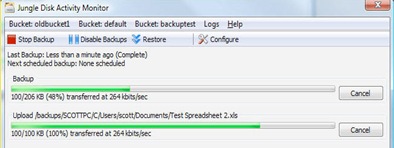
I started experimenting with "cloud" storage over two years ago when Amazon introduced their Amazon S3 (Scalable Storage Service). It worked pretty cool. I was using the Jungle Disk software which was just in Beta at the time and all worked quite well.

Jungle Disk2The uploads could be quite long, but it seems that Amazon has eliminated that obstacle too - now you can send them a portable USB drive of your data and they will put it in the "cloud" for you… all perfectly safe.

Let me point you too Geoff Baehr's article at our buddies over at Luminous-Landscape.com. Geoff is a super geek guru who shoots with two of the really big digital guns - the Phase One P45 and Linhof M679cs and really had data storage issues to deal with. In his post right here he shares with you exactly how he does it.

Hey gang, that's it for me today. We are heading off to see the Pearl Harbor Memorial and maybe give Diamond Head a climb. See everybody tomorrow of another Technique Tuesday episode. See ya' then.  Aloha, -David

Friday, October 30, 2009

Friday: Wrapping Up The Week

Good Morning Everybody,

I’m at the keyboard early this morning because I know that after we wrap my Master Class today LaDawn and I are just going to
“chill” a bit and enjoy the beautiful fall scenery we are experiencing this year.

DAZ Class F09 I have to say, we have had a great class this week.  Feedback from the class is that everyone really liked the new format.  We will read all the comment sheets from this week’s attendees, gather additional input from the “coaches” at our wrap up meeting early this afternoon. Then we will tweak where necessary, and see if we can make the upcoming Spring Master Class April 26 –30, 2010 - even better. My thanks to everyone who attended this week’s class, my team from the studio, the coaches and assistants that  shared their knowledge and expertise to further enhance the Master Class experience and made it such a good time.

Next week look for a image wrap up of the week too. BTW, don’t you love the picture of the class this time around.  I thought, heck, the class is mostly about lighting so let’s really show all the strobes firing;~)  Our class picture was taken by Jesica Bruzzi from B&H who came by as a consultant for a few days this week. Thanks Jesica for a great shot.

I hope out DPT readers didn’t mind me veering off our normal topic agenda too.  I just thought a peek into what was going on this week with new cameras and LR3 betas could be pretty darn helpful. We’ll get back to our normal schedule next week – including the MIA Technique Tuesday episode.

And speaking of next week, can you believe it, we head out on our last leg of my Digital WakeUp Call Tour.  We are heading to Raleigh, N.C. on Monday, Charlotte, N.C. on Tuesday, Columbia, S.C on Wednesday, and wrapping the week in Atlanta on Thursday. 

Digital WakeUp Call1We have 10 cities to go. Here is the list of remaining dates right here. We hope to see you there!

Hey gang, I do have a few items I want to remark on today, so let’s get right to it.

Just A Few More Notes On The Canon 7D

After Wednesday’s post [link], I received lots of comments about the camera’s dark previews in Lightroom 3 Beta.  Thanks to all who commented and offered insights into the issue.

I too believe it’s a LR3 issue.  Class members were having the same problem this week with the LR3 beta some were using in class.  I heard comments like, “It looked good coming in then the preview turned dark.”  That indicates to me that LR3 beta is just posting a preview that represents it’s best guess as to what the image should look like.

The Lightroom team has literally built version 3 from the ground up so when running the beta I don’t expect things to be perfect.  Adobe did a good job with LR2, so I suspect when LR3 ships we are all going to be quite happy.

I’m going to give some of the suggestions from our readers a try and see what happens. BTW, I found it most interesting when I read Wink’s comment referencing the link to The-Digital-Picture.com site. [link] Their review reports that their testing shows the camera is exposing 1/3 stop darker than other camera bodies. Hummm…  We’ll see what the next firmware brings.

7D 3 Cs Oh, one more feature I love on the 7D! THREE, count them, three custom settings that the user can set.  The 40D had 3, the 50D only had two, but the 5d Mark II had 3 so I’m glad to see Canon put 3 back on the 7D.  This feature comes in real handy when you need to change to a completely different set of settings during the heat of the wedding shoot.  It’s like having 3 cameras in one. I love it!

Another great feature on the 7D is the “My Menu Settings” feature.  The camera lets you add your most used menu choices all in one place so you can get to them quickly when need be.  No more drilling down through all the myriad choices to get to the one you want.  Now everything you use everyday is listed in just one place. Another – very cool!

More On Lightroom 3 BETA – The Dreaded Import Feature

Lightroom This is a quick one folks, I took a peek at the import function once again and still am not impressed. I decided to add 4300 images from a wedding to my catalogue.  As usual, LR3 beta wanted to populate the screen with all the previews.  My best guess it that it would have taken several minutes to accomplish the task. I waited 15 minutes and LR3 still had a long way to go.

While it was populating the images, I hit “Select None” then had to scroll endlessly to find the blank icons that represented the 3 images I wanted to import.  I checked them and in a short while, they popped into my catalogue.  All I want to see is the file list – who cares about seeing 4300 thumbnails! On a real job, they are all coming in anyway!

I then tried to import just one image from another folder.  LR3 spent minutes creating the file list telling me it was “Finding files.” Then it was “Loading dates…”, then it was “Loading dates and thumbnails…”  Stop, stop – just pull out my fingernails, it would be less painful.

Maybe I’m over-reacting a bit, but the new import functionality is just no fun, time consuming and nearly impractical for day-to-day use. Don’t get me wrong – I know I’m coming across maybe slightly negative ;~) but I still love the new features in LR3.  And, yes, I plan to hang in here with LR3 a bit longer, dig under the hood, and just see what this baby will do.

Hey gang, that’s it for me today.  We wrap the class today and, can you believe it, we pack the van tomorrow and head out Sunday for Raleigh, N.C. Yep, we’re driving . LaDawn and I love seeing America.

Everybody have a great weekend.  I hope your little pixels get lots of goodies on Halloween.  I’ll see ya’ Monday in Raleigh. 

On the road again, -David