Showing posts with label workflow. Show all posts

Tuesday, September 20, 2011

Technique Tuesday: Design Lines–1 & Testing Some Brand New Software

Good Afternoon Everyone,

Sorry for the late post today. I've really been behind the eight ball these last couple of days and have found it difficult finding time to post the blog. Let me give you a quick update of what's going on around here.

The biggest “time gobbler” has been installation of three new computers at the studio – and what a pain in the neck that can be sometimes. My computer is pretty much up and running, and I got our second computer installed earlier today. I’ve just got one more to go but, it will probably take about another day of work to get it on-line.

I will say that these computers are far faster than the almost 5 year old models we’re replacing. I think everybody's going to be thrilled with the new speedy hardware.

Testing New Software – Perfectly Clear

Perfectly Clear boxesOn a different front, I've also invested quite a bit of time exploring a brand-new piece of software for Lightroom 3 and Photoshop CS5. The name of the software is Perfectly Clear by Athentech Imaging. I met the CEO of the company, Brad Malcolm about three years ago when we got chatting at one of the trade shows.

I've been following Perfectly Clear’s development over these last couple of years and what I saw most recently really impressed me. Brad and I had the opportunity to hook up again at Photoshop World in Vegas just a few weeks ago and I'm now in the process of testing Perfectly Clear in depth to see just how it might improve our workflow.

At first glance, it looks like it's going to be a lifesaver and happily a timesaver for us, too. What Perfectly Clear does is  analyzes each of your digital images pixel by pixel and then does it’s best to adjust color balance, contrast, black levels, white levels, and about every nuance of your image. 

As you know, we photograph about 3500 images in the course of an event but our big hang-up is fine tuning the images for posting to the Internet for our clients to view. That part of the process can take hours – too many hours!  After my first brief test with Perfectly Clear at Photoshop World I was surprised how many times the software got it right.

Perfectly Clear training videosWere currently exploring some different workflow options with the software. You can go online and watch all Perfectly Clear’s tutorials right here. The one tutorial that interests me the most was the batch processing post, it's the last one listed on the video page. After a few preliminary tests yesterday, I was very positively surprised with the results that I obtained. I want to do a little tweaking of the program adjustments and give it a try one more time.  BTW, Perfectly Clear works in Photoshop and Lightroom and across both the PC and MAC platforms.

The game plan, and this is constantly updating as we improve each process, right now is to load all of the images into Lightroom. Once done, I want Perfectly Clear to work its magic on each and every one of those images saving the processed images to a different folder.   Next we’ll import those images into Lightroom as well. Since I'm not changing names of the images, the perfectly clear adjusted JPEGs should sit right next to the raw file in the Lightroom catalog. The next step is to just breeze through the catalog and select the best image. In my first tests I was selecting the Perfectly Clear image 95% of the time.

Remember, were just trying to get these images looking good for proofing for the client, not perfect for final output. Don’t get me wrong – most of the Perfectly Clear adjusted images looked just fine. Granted, some images are going to need additional post processing, but that should be no problem in our typical normal Lightroom workflow. Anyway, running new software through all the tests is a time-consuming process. I hope to have the completed and finalized results of my testing ready to post next week – stay tuned.  The testing coupled with getting three machines up and running explains my lack of time needed for blogging.

Design Lines 1 – See Where The Lines Are Leading Then Place The Subject Accordingly

I had planned to post part three of the banner project that I've been discussing in the last two Technique Tuesday's. Sorry no time……  Don't worry though, I promise they have it completed in fairly short order.

In lieu of posting a brand-new Technique Tuesday today, I thought I would revisit a episode I did a couple of years ago. The topic is one of my favorites, composition and lighting, so I think you’ll really enjoy it.

Here is the back story on today's video. LaDawn and I were on vacation a couple of years ago staying at a beautiful new Hilton Hotel right on the waterfront in San Diego. It turns out that the hotel offered some great backgrounds for portrait photography. In this tutorial I'll walk you through how I spotted the leading lines, how I determined where the viewers eye was being led, and how I positioned my subject within a composition.

A nice plus for this tutorial is a fact I am using the most ultraportable lighting set up that I can be using – a wirelessly triggered shoe mount flash. In spite of my equipment minimalism in this tutorial, I still think we pulled off some very cool portraits. They are well lit and well composed,. Why not hit the PLAY button below and enjoy the show. Hope you enjoy it.

 
__________________________________________________________
Hey gang, that's it for me today. Thanks for hanging in here with me on this very busy week. I hope to see everybody again tomorrow and, I hope to have the post up a little earlier than today.

Have a great rest of the day and I'll see everyone tomorrow.

-David

Friday, September 02, 2011

Weekend Update - Part 2: Only 3 Seats Left! For My Fall Master Class!

Hey Gang,

I just checked our numbers of our upcoming Fall Master Class and my team tells me we have only 3 remaining seats available.  I’m spreading the word next week at Photoshop Word so I suspect they'll go fast. 

DAZ FAll Master Class 2011If you want to grab one of the last remaining spots you can give Jennifer a call at 800.292.2994 on Tuesday and reserve your seat.  It’s still early enough for you to get a good deal on air fare too.

You can catch all the info on the class right here.  It’s an intense week of sleeping, eating, breathing photography, networking with fellow students, portfolio development and much more. Everyone has a great time.

I hope to see you there, David

Friday, April 08, 2011

After The Wedding: Salesflow/Workflow Part 7 - 10 Steps To Getting The Order Out The Door

Good Afternoon Everybody,

Late LR The beginning of this post has changed about 3-4 times over the last two days as the bear kept nipping at my heals all day yesterday and again today.  I was sure I could get the post up but it was another day of too much going on and too little time to complete the project.

I had a meeting with one of my favorite clients in the morning to discuss her daughter’s upcoming wedding. I photographed this upcoming bride and her sister’s Bat Mitzvahs years ago.  It will be really fun to have the opportunity to be apart of Allyson's exciting wedding celebration and reconnect with the family again in September.

Fifteen minutes before the FUSION webcast was to begin I was just wrapping a meeting with my coaches for next week's Digital Master Class [link].  From that meeting, we went right into the webcast "Fusion Now More Than  Ever" with Ariane Fisher and everyone loved it!  See following post to view it again.

PhotoPro Summer-School Today I'm working on putting the finishing touches on our PhotoPro Summer School.  PhotoPro Summer School [link] is an unprecedented educational, social, entertaining experience happening in Lexington, Kentucky this summer.  We've got a great line up coming your way July 9, 10, 11, & 12, 2011. You can read more about it in a post to follow below.

So, today I just decided to wait till I had all my ducks in a row before hitting the “POST” button.  The bottom line is this – you have one heck of a lot of content in today’s posts.  I hope you’ll take the time to enjoy all you find here today.  I’ve split all the info into three posts which should populate soon so you can easily bookmark what appeals to you most.  Hope you like the reads – ENJOY!!!

Here're we go...

After The Wedding: Salesflow/Workflow Part 7 - 10 Steps To Getting The Order Out The Door

Today also marks the last in the series of articles I've been doing on studio salesflow/workflow.  After the selling, the rest is pretty easy. 

Sales Groth The last two articles were probably the most important in the series.  I discussed sales.  No, more importantly, I discussed success.  That's pretty hard to come by in today’s market if your a  wedding photographer. Currently, up to 80% of wedding photographers are doing it part time.  That was not surprising to here when I read it yesterday morning right here at the PhotoLoveCat blog.

So I hope you will re-read those last two posts - they are important if you want to make photography more that just a passing fancy.

So now let's move into a bit more of the workflow.  What happens after the client selects their gift images and images for their album?  Time to go to work.

1. The first thing to take care of is the billing.  I review all sales with our bookkeeper who will ready invoices and ask for deposits for the additional orders. 

2. Next I review any special client requests with Jennifer, my studio manager.  It's up to her going forward to get the order out to the client in a timely manner. This meeting will include any special retouching/image enhancement requests, album design preferences, and whatever else we need to accomplish guaranteeing that the order will look spectacular for our client. She'll make the notes and ask for clarifications as needed. Now it's into production.

Lightroom Network YES 3. We have Lightroom 3 running on a network in my studio so the process is pretty simple. Here is the link to how we accomplished that right here.  Be sure to check all related links at the end of this article for a follow up Lightroom link too.The first chore is move through all the selected images and get them looking great in Lightroom.  We spend most of our time in Lightroom only heading over to Photoshop for the heavy lifting like exit sign removal, head swaps, liquefy requests, etc. 

4. Once the image adjustments and enhancements are complete, another of my team, usually LaDawn puts a second pair of eyes on these corrections and enhancements. This helps us really fine tune the images.  If something was overlooked or a bit askew color-wise, the review by a second person will usually find anything overlooked with the the first pass. It's a great policy for really having your images the best they can be for your client.

WF - LumaPix5. The next step in the production process is the album design. This now falls to LaDawn - she is such an expert in this department.  Our software of choice is unequivocally LumaPix: PhotoFusion. LumaPix is simply the fastest design software on the planet earth.  By the way, I just talked with the good folks at LumaPix and we can now offer LumaPix at a SPECIAL PRICE through our Digital Resource Center with the purchase of our Lights, Camera, Action Package.  More details right here.

DAZNOTE:  I posted a very detailed webcast on album design and LumaPix right here - just hit the PLAY button below to watch the show again.  I need to point out that this webcast was aired during my Captured By The Light Tour [link] when we were offering LumaPix at even a slightly more reduced price. 

The PRICE SPECIAL is the best we can do now, but it still the best price anywhere for the software.  I'm not trying to make this a commercial, just trying to avoid any confusion with some of the talking points in the video. 


By the way, you can find the first LumaPix Webcast right here – both are a little long but really worth the watch.

WF album0 6. LaDawn can have a 200 image album design knocked out in about 5 hours - I told you LumaPix was fast!  Once designed, she'll let it bake for a bit and then come back to it the next day for additional revisions. 

Once complete, you guessed it - another "pair of eyes" takes a peek at the design. That's usually Jennifer, but I sometimes get involved at this point. Once again, this second look let's us refine the design even more. It's this policy that let's us push the look of our finished product up to Mercedes Benz level of quality.  Sure all these extra steps take time, but that's the product I choose to deliver to my client.

7. QImage UOnce the album gets the final staff OK, it's time to render the pages out of LumaPix.  We export the album pages as Quality 12 JPEGS.  It's takes a few minutes of computer processing time but is rarely an inconvenience.  The page images are then transferred over to our printing computer where they are queued up in the QImage software - about $99 and then sent to our Canon iPF 8100. We prefer QImage to RIP software because of it's convenience and inexpensive price.

8. The album pages are printed three to a sheet.  WF - SheetsWe cut the album pages into individual pages so they can be easily fed through our coating machine.  You've got to coat inkjet prints to guarantee print durability and longevity.  Our coated prints mounted in a Zookbinder’s album have a shelf life of over 200 years!!! That's quite a value proposition for our clients. Now even great-great-great grand-daughter will be able to see the original album in all it's full color glory.  Isn't technology wonderful.

WF Coating machine 9. Once pages are coated, we do the final trim, check for accuracy one more time, securely package all pages for shipping, and send to Zookbinders for final album assembly.

10. A few weeks later, the album arrives and is checked again.  We gather the rest of the ordered prints, add promo materials (i.e. family/baby portrait offers), check invoice for accuracy, and call the client to set up an appointment for final delivery.  The rest is history - the client loves the finished result and hopefully is showing her album all around town telling her friends and family how much she loves the album and what a great experience it was working with David A. Ziser Photography ;~)

Related Links:

Business Day Thursday: FREE Webcast Today & Running Your Business after The Wedding Shoot - Part 1
Business Day Thursday: After The Wedding - What Happens Next: Part 2
Business Day Thursday: After The Wedding: What Happens Next - Part 3
Business Day Thursday: After the Wedding: Workflow – Part 4
Business Day Thursday Continued On Friday: After The Wedding: Workflow - Part 5
After The Wedding: Workflow - Part 6, Making The Sale Or How To Be An Order Maker, Not An Order Taker
Technique Tuesday: Lightroom Jailbreak - Running Lightroom 3 On A Network
Friday: Lightroom 3 - BIG Crashes and Easy Fixes
________________________________________________

Hey gang, that's it for me today.  There's a ton of information in today's post so I hope you enjoy the read and the videos.  Next week we begin my Master Class so things will once again be a bit hectic. Be sure to stop back - I should have some great images for you to see and a story or two to tell.

Have a wonderful weekend and I'll see you next week,  David

Thursday, March 10, 2011

Business Day Thursday: After the Wedding: Workflow – Part 4

Good Afternoon Everybody,

Late LR Better late than never, like they say. I was out of the office early this morning and just returned a short while ago – hence the late post today.  Nevertheless, I wanted to get the fourth part of my workflow series to you, so here we go.

After the Wedding: Workflow – Part 4

Last week’s 3rd part of this series [link], I covered how we go through the final image edit and prepare the image presentation for our clients.  So far, everything has been fairly straight forward.  The topic for this week’s post is of crucial importance if you want to be successful in selling your wedding images. Why?  Because it is the beginning to the sales making process – so please pay attention.

We’ve taken several thousand images at the wedding, selected our very favorite images, tweaked color and density when necessary, arranged the images into a story telling order, stylized a select 50 or so, added promotional titles to the beginning and end of the show, and are ready for upload to the web.

Uploading To The Web

More 1 Once everything is prepared and to this stage, we export the final image presentation into a separate folder from which we will upload the to my hosting service – More Photos.com.  What’s important is the size of the exported images. We export the images at a dimension of 1280px on the long side.  That’s an easy export process in Lightroom.

Why 1280px? It’s because of the way More Photos posts the images to my on-line gallery.  For most on-line galleries, you will see thumbnails, which when clicked on bring up a larger, but not too large an image. 

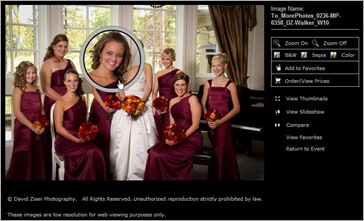
More 3 More Photos gives my clients the option of clicking one more time to make selected parts of the image even larger – 1280px on the long side is the preferred size to see the larger image.  The reason for the selected size enlargement is to be able to verify a good expression.  Another reason for this selective enlargement is to avoid anyone from doing a right mouse click nab of the image.

Client Viewing – NOT Final Selection!

The process to upload the images to More Photos is fairly simple with their desktop up-loader.  After a few hours, all the images are residing on More Photos site ready for client viewing.  OK gang, this is where we separate the men from the boys when it comes to selling. 

I DO NOT want the bride and groom to make a final selection of their images from the on-line galleries.  I only want them to select their favorites. It’s vital that you get this.  If a client is only given the opportunity to select their final images from the on-line series you worked so hard to create for them – YOU ARE CHEATING YOUR CLIENT out of what they could have in their album!!!

Do I have your attention?  Here’s the real deal gang, unless we can sit with our clients and share with them what we saw with our mind’s eye and felt in our hearts as we photographed their wedding celebration, there is NO POSSIBLE WAY they will put together a satisfyingly complete series of images that truly captures their special day.  The artist – that is, we the photographer – must be part of their decision making process.  It is in serving our clients in this manner that truly helps us be the best photographer/artist/designer for our clients!

Spinning The Wheel Of MIS-Fortune

MIS Fortune Placing images on-line and spinning the “wheel of MIS-fortune” will only guarantee you anemic sales. More importantly, “spinning the wheel” provides absolutely no opportunity to share your creativity and how YOU felt when you were photographing their wedding celebration. Doing business this way completely sidesteps the climax of the photographer/client experience. 

You have worked so hard to produce for them – what?– a small collection of images they select from their on-line experience. Wouldn’t you rather have that climax be a thrilled client who shares your enthusiasm for not just their wedding, but also an exciting collection of images that they will enjoy for the rest of their lives!  You can only make that happen if you are part of the image selection process.

Our Clients Select Their Favorites, Not Their Finals

Favorite LR Our clients are instructed to select only their “favorites” from the our on-line galleries.  After they have noted their favorites, and we give them at least 14 days to do just that, we schedule an appointment for them to come into our studio to review their selections and help them with their final selections for their album. 

It is during this meeting that the final magic happens – our clients are thrilled with their final choices and can’t wait to see their album! During that “in person” meeting we are also able to showcase all the our other fabulous products and ideas that will further enhance and help them enjoy their images even more!

Next week, I’ll walk you through that sales process – hope you’ll join me because that’s the fun part of the entire sales process.

More Photos logo DAZNOTE: As I was writing this article I decided to give my buddies a call at More Photos and see if they would offer any of our DPT readers a special incentive to give then a try if anyone was interested.  Mike Connors, the president said no problem.

Here is the deal – give More Photos a call at (231) 932-0855 then hit ext #4.  Tell them David Ziser sent you, and you’ll receive one month FREE and 1/2 price set up! WHAT A DEAL!!  It was really  nice for Mike to extend this offer. So if you’re interested, give a call.

__________________________________________________________

Hey gang, that’s it for me today.  Tomorrow we head to Sandusky, Ohio for the Professional Photographers of Ohio Convention.  This has always been one of my favorite conventions to attend.  I’ve been going for years and have many friends to visit and reconnect with.  It will be good to catch up with them this weekend.  And, as always, I’ll have a show report for you on Monday. 

Tomorrow’s post will be late in the day so check back in the afternoon.  I just may have a tidbit or two to share with you.

Hope to see you then,  David

Thursday, March 03, 2011

Business Day Thursday: After The Wedding: What Happens Next - Part 3

Good Morning Everybody,

D-TownIMG_9365After yesterday's Tampa special sessions, I returned to the hotel for a wardrobe change and headed back over to Kelby Training to shoot a few episodes of D-Town TV.  Scott and I recorded four solid photography tips for upcoming D-Town episodes. Folks, you're going to like what you see;~). 

You simply can't believe all the cool sets these guys have set up to film the shows they produce including; Photoshop User TV, D-Town, the new GRID program beginning next Monday. I was the lucky guest to appear on the new D-Town set for the first time - what a treat. It's quite an amazing story to watch the growth of this cutting edge company.  But the REAL treat is how nice EVERYONE that you come into contact with!

I'll try to keep you posted as to when they will run.  OK, time to get on with today's business post.  Here we go...

After The Wedding: What Happens Next - Part 3

Two weeks ago we left off with me discussing how we rename and import our wedding images into Lightroom [link].  Let's pick it up from that point.

What I failed to mention is the fact that before we import the images into Lightroom, I set up a different Catalogue for each job we photograph.  The reason for this is the simple fact that we take so many images on a wedding - about 4000, one Lightroom Catalogue would bog down fairly quickly over the course of the season's events.  It also makes it easy for us to work on a client's order since Lightroom only let's one user into a catalogue at any one time.

OK, now we have all the images imported into Lightroom - we are ready for the image edit.  The goal is to edit the images as quickly as possible, select about 75-100 images to be converted to B&W, and to "artsify" or apply a few special techniques to a few of them.

Finger 0n 1The editing procedure is straightforward.  My left index finger over the 1 key.  Why? Everything you read on Lightroom tells you to rate your images from 5 stars to 1 star.  That simply makes no sense to me.  That would mean that every time I saw an image I liked, I would have to raise my hand, have it travel across the keyboard about 10 inches to the 5 key, land on it, and then have my hand travel back to it's resting place.

Move to 5 keyThat would mean that my poor little finger, assuming it has to make that round trip 1500 times during a simple edit and would have to travel a total distance of 30,000 inches during a simple edit.  Multiply that by 25 weddings a year and that's a grand total of 750,000 or ALMOST 12 MILES! 

Wait, there's more. Consider that my hand weighs about 1 pound. I would be lifting my 1 pound hand about 37,500 times over those 25 weddings meaning I would be lifting in excess of 18 tons of weight over a wedding season just doing my image edit!  Whoever said wedding photography isn't hard work;~)

With most of the kidding aside, you can see that it makes much more sense to just hover the index finger on the 1 key, hitting it for any image we wish to keep.  We can move through all the images at a rate of about 800 images/hour.  Once the image editing I filter to all the 1 Star selected images. We review the selections and tweak them where necessary.

Collections1Next, we switch to Grid view, select all the images, create a new Collection and name it "1 - Presentation". With the numerical designation, this Collection will float to the top of the list of all eventual categorized collections. Lightroom first sorts numerically and then alphabetically. All the selected images are then simply put into the new Collection.  Please note, the "Virtual Copy" box is left unchecked. 

Next, while still in Grid view we move through all the images, and while holding down the Ctrl key, select about 75-100 of my favorites.  With these images selected, I click the Collections panel, create a "2 - B&Ws" collection, and add the selected images as "Virtual Copies". Why? Because I'm going to change them to B&W images.  The easiest way to do that is to just de-saturate the images and boast the Fill Light just a bit - that will make them look great.

I like to show B&W images because that is still a hot item for our clients and showing them easily leads the sales discussion to our B&W products.   Next we are going to need to get the tweaked B&W images into the "1 - Presentation" collection. 

That's easy - "Select All" and drag them to the collection.  Once there, they will still be highlighted. Grab the first one and drag it to the first spot of the Presentation collection.  All the other will follow and drop in behind.  I like the B&W's to lead the presentation because I think they make a nice preview to the entire color presentation.

Grid 2OK, all the images we plan to show our clients are ready to go.  We need to do one more quick check of all the images and fine tune color and density as needed.  We also need to finalize the sequence of the images.  Even though we time synced our cameras while shooting the event, it's just a good idea to be sure everything flows consistently in a nice story telling presentation.

Title 1We are almost finished.  Now it's time to find the two most spectacular images of the wedding day celebration.  For me it may be a dramatic wide angle image or maybe a very powerful back lit image - anyway, pick your best.  I select the first image, let's say a dramatic wide angle images taken in the church, and send it over to Photoshop for titling. You can see an example right here. 

Once the titled image is created, I send it back over to Lightroom and move it to the #1 position.  Now do the same thing with your end title and drop it back into Lightroom in the last slot of the show. Below is an example of an ending slide.

DAZNOTE:

At this point of the edit process, you could also create another collection that shows the clients images in some of your products - think framed images, collages, retouched images, even “artsified” or your own stylized images.  Creating these images before your sales presentation gives you perfect entrée into introducing those image ideas to your clients. Plant the seed it then becomes an easy increase/add-on to your sales.

I hate to say it, but this is where a lot of "Shoot and Burners" leave a TON of money on the table.  If you are into this business for real, you sure can't afford to leave anything on the table, particularly in today's economy.

OK, the sales presentation is ready to go.  Next week I'll explain our processes on how we move from upload to salesroom and how to take your beginning steps of building the sale.  See ya' then.

______________________________________________________

Hey gang, that's it for me today.  I heading out to do a quick gig for Kelby training and then I'm heading directly to the airport and flying home.  It will be good to be back in familiar surrounds again.

See ya' tomorrow from Kentucky,  David

Thursday, February 17, 2011

Business Day Thursday: After The Wedding - What Happens Next: Part 2

Good Afternoon Everybody,

LasVegasSignWe headed out bright and early this morning and are on our way to Las Vegas for the huge WPPI Convention.  I'm not speaking at this show - we're here mostly to see what is new and to take in a few of the programs.  I'm also doing a gig or two in the Westcott booth, so if you get a chance, come on by and say HI.

Hey gang, last week I began a new series "After The Wedding - What Happens Next?"  I'll be posting for the next several Business Day Thursdays walking you through our workflow and sales flow at my studio. I hope you enjoy the read.

After The Wedding - What Happens Next: Part 2

Time To Recap The Job

I don't know about you guys and girls reading this but after the wedding I'm exhausted!  I'm usually working with two assistants, we've been running like wild banshees for 10 straight hours, so the first thing we need to do is regroup - that is check that we have all the gear and all the cards in a safely secured and accounted for.  We make the rounds to say our goodbyes and head back to studio to unload the gear.

Delkin Image routerAfter we arrive back at the studio we unpack the gear, check that we have everything and pull all the cards.  Most of the time that's about 4-5 16 gig full and partially full cards. I grab the cards and I begin the download with our Delkin Image Router. I've discussed the Delkin Image Router previously at DPT.  It's the fastest, easiest way to download gigs and gigs of data.  I can have 4 cards downloaded simultaneously in about 35-40 minutes - pretty darn quick.

OK, I know it's late by the time we wrap up - usually about 12:30 - 1:00 a.m. - am I heading to bed? Heck no.  We still have work to do and need to have an "adult beverage" or two to enjoy ;~). I'm serious about this.  We head to one of the local watering holes to get something to eat and something cold to drink. Remember, I don't eat at weddings so we are famished by days end.

The main reason my team and I take this time at the end of the day is to recap the job - what went right? where do we need improvement? did our newly tried ideas work? do I need to review issues/concerns with my team while they are fresh?  This is just a great time to sharpen the saw for yourself and your team after the event and in preparation for the next big event. 

OK, let's say your a single shooter. I would still recommend that you sit down with yourself and jot a few notes about how the job went while things are still fresh in your mind.  In this digital age this is  simplistic process. Grab your iPad and start making your notes in Evernote, tag them, and use them for review before the next job. Doing this on a regular basis gives you a great resource to prep for those future events.

Back To The Downloads

I'll usually finish up downloading the last card or two the following day.  If I have a second shooter, and I always do, the second shooter's images are all put into one folder with my images in another.  All files are renamed as such ####-DZ_SmithW11 and sequenced in time/date order. 

My assistant's images would be annotated with his/her initials.  This is done so I can easily review and critique my second shooter's work.  We are constantly striving to improve and polish our product for our client.

After the numbering/renaming process, All the images are imported into Lightroom 3 with my "Secret Settings" [link].  No the cards are not cleared yet.  That doesn't happen till we have the images stored in at least three places and one of those places must be off line.

Backup Policies

Up until a few years ago, we backed everything up to two sets of DVDs.  But that was back in the JPEG days when I could back up 3000 images on 1-2 DVDs.  That number has increased to 10-12 DVDs since switching to RAW - ouch!  Needless to say, things have not been going through the normal back up policies for the last few years.

Taiyo YudenI will admit, I'm a bit nervous about that too.  I still prefer DVD backup.  Some photogs have told me that they found that some of their CDs and DVDs and become corrupt and unreadable.  I have never had that problem. I suspect the reason that we've not experienced these issues is because we only use high quality 100 year archive media, for example, Taiyo Yuden/JVC discs.  We get them from CD Dimensions right here. Read my lips - your data will slowly fade away if you use cheap disks!

What's the disk solution to a 50 gig wedding?  The only answer has to be Blu-Ray which have been quite expensive these last few years.  The prices on the burners and media has started to come down and we're looking to upgrade this year to the new burners and Blu-Ray media.

In the mean time though our policy is to have all images residing twice on the main computer and then having a third backup on a USB external drive - I prefer Western Digital to Seagate, BTW.  This drive gets disconnected from the main computer after the third backup is made.  The drives are getting so inexpensive, it's really a no brainer to back up to a third drive.  I've seen 2T WD drives under $150 - I can back up a years worth of jobs easy.

Toshiba driveI've been playing around with the compact Toshiba pocket drives which I also like. A 1T drive is only $150 and is quite small and portable.  You can pick them up at B&H for under $114 [link]. Don't you love how things keep getting cheaper, faster, and better.  My first 1T Lacie was $700!

All this discussion takes us up to the point where we need to ready the images for Internet upload and client viewing.  I'll get into that next week.  Our plane is ready to land so I'm wrapping the discussion for today. Check back next week for What Happens Next: Part 3.

________________________________________________________

Hey gang, that's it for me today.  It's time for us to hit the town and see what's cookin' in Vegas.  I promised LaDawn a little time off from the blogging duties this week so I may not be back tomorrow, well, maybe for an image of the day post, at least ;~)

Have a great one and I'll see you soon,  David 

Monday, November 01, 2010

Quick Hit Monday: Joe’s New Book; Webcast Still On the Air; What A Deal On Ink-Jet Printers; Retouching, Shortcuts, Postcards, and More

Good Morning Everybody,

LR Grid It was a great Bat Mitzvah celebration over the weekend. We began at 7:30a.m. and worked till 11:30p.m. that evening. Thankfully we had a break in the middle of the day to catch our breath. I downloaded the cards when we returned, renamed them importing them into Lightroom and hit the sack late.

Four hours later the alarm went off - we had a 9:15 a.m. flight to L.A. and I still needed to pack. I wanted to bring the images with me on the trip so I could work on the order and share a few more with my DPT readers this week. They were still imputing into Lightroom at 6:15a.m.

Finally I got the job done, packed up the 650 gig Toshiba pocket drive and we headed to the airport. We were fortunate to get kicked up to the BIG seats for our four hour flight and I was able to catch a few zzzzzzzzzzz's on the trip out.

Like I said - busy weekend, and now a busy week as we wrap up our Captured By The Light 2010 tour. We are looking to visit with over 700 excited photographers this week so I hope you can make it to one of this week's programs - it will be a kick! That said, let's get right to this week's Quick Hit Monday. Here we go...

Rocket Speed Digital Design Being Extended

Digital Design Webcast  Horo Logo2 Last week I posted my Rocket Speed Digital Design webcast [link] and mentioned that I would keep it up till Sunday midnight and still honor the special $99 bundle pricing on LumaPix. Because we only have 3 CBTL tour cities left, I thought I would keep it up till the end of this week.

That should give everyone ample time to catch the webcast if you missed it and take advantage of these NOT-TO-BE-MISSED specials. If you have any questions about the specials, please give the studio a call at 859.341.5900.

Joe McNally's New Book, The Life Years, Just Released!

Joe's book3 I caught this over at Joe's Blog [link] over the weekend. Joe told me he had a new book coming out near the end of the year but didn't give away any of the details. His new book looks like a knock out hit.

Yes, I'm old enough to be a Life Magazine fan and was pretty disappointed when it folded. This book reprises Joe's years at Life when he was the named the first staff photographer for the magazine. He coincidently was also the last staff photographer for Life. That would give him the distinction of being the only staff photographer for the magazine.

Not only do the images look exciting, but what captured my attention was the fact that this is a "nuts and bolts" read, complete with F-stops and shutter speeds - right up my alley. Here is the link to his post right here. I can't wait to pick up my copy! I am wondering how Joe retrieved the EXIF data from the film though ;~)

How About One Gigantic Deal On Canon Inkjet Printers!!!

iPF8300 Folks, I have to admit, I thought I would NEVER see the price of Canon's iPF 8300 wide carriage inkjet printers hit a rock bottom price of only $2299 after rebate at LexJet. I mean,  this is a steal of a deal if you want this printer. You ain’t going to find it at a better printer price anywhere in the world!!!

Yes, they are offering the iPF6300 at a great deal too at $1899 after rebate, but for the $400 difference, I'd pick up the iPF8300. Oh, and did I say, that includes a complete set of 330 ml ink cartridges too!

We have been using the iPF8100, the model prior to this model and we have been luvin' it. It's fast, is stingy with ink, and gives gorgeous results on all types of mediums. Deals like this are unheard of - check it out right here if you are even remotely interested. You'll have to call one of the LexJet friendly representatives to get all the details.

And Now For A Little Fun…

Rapid Fire Beauty Retouching

AJ Wood Friend of this blog, A.J.Wood has a nifty little tutorial posted at his blog right here. It's a 3 minute tutorial showing his rapid retouching techniques in Lightroom and Photoshop.

A.J. is a certified adobe Expert. His blog has a lot of good content which is fun to check out. Once again, here is the link.

Jeff Revel's Keyboarding Shortcuts For Lightroom

PhotoWalkPro I've always enjoyed visiting Jeff's site, PhotoWalkPro.com [link]. It's enjoyable to read, informative, and an easy read. Recently, he did a post on workflow, you know the part of the profession we all enjoy the most.

Like all of us, Jeff is always looking for the most efficient way to get the job completed. His post gives some good ideas on how to do just that in his post right here. If you want to get your Lightroom and Photoshop chores done more quickly, it's worth the read.

Oh, while you are at Jeff's place check out his other tutorials too - always informative and easy to follow.

Now Every Picture On Your IPhone, iPad, etc. Is A Postcard

OK, I caught this post at the Imaging Insider [link] and think it is one clever app. Here is the deal: with this app from Simply Postcards [link] you can send any photo stored on your iPhone or iPad as a postcard to anyone you want - friends, family, potential clients, vendor buddies, current clients, whomever for only $1-$2. That's your photo printed as a postcard, stamped and mailed!

Simply Postcards Many of you may be wondering, "Who cares, I'll just email the image." Sure, that seems like the easy way, but getting a hard copy is just so much more retro cool. All kidding aside, I see it as a perfect way to impress your clients or even your potential clients.

I've mentioned here what a fan I am of the iPad and the many ways we use it for marketing in my business. This app let's us take it to the next level. Here's how:  we routinely bring the iPad along to an event, upload about 50-60 images to the iPad and then present a viewing sampling of the images during dinner for the bride and groom, families, and guests. Everybody loves it.

OK, how about now we select our favorite image of the event and send it as a post card to the bride and groom. Sure, they are on their honeymoon, but don't you think it would be cool for them to find a postcard from their wedding day in their mail box when they return. I think it is one more way to sizzle that client experience. And, folks that's what it takes to keep them coming back.

Head over to their site right here. Simple Postcards has some great ideas listed. Oh, did I forget to mention that it's a FREE app too - yep, FREE. Jump on it! I’ve installed it and can’t wait to give it a try.

________________________________________________________

Hey gang, that's it for me today. My throat has been a bit "froggy" these last couple of days with all the speaking presentations, Master Class, and Bat Mitzvahs. Now with only three more programs to go I hoping my voice holds out. Who knows, LaDawn may have to do the last one in Sacramento on Thursday ;~)

Oh, just a quick note to those making Facebook friends requests. I was all caught up a few weeks ago, but now I'm way behind by about 750 or so. I'll try to get caught up in the next few weeks. The bigger problem is that I'm approaching the Facebook limit of 5000 friends so I may be foxing to plan B and setting up a fan page. Hey, I'm still trying, ( in my spare time) to figure all this social media thing out too - I'll keep you posted.

Don't forget to check back tomorrow for a brand new Technique Tuesday: Posing Mistakes – Easy Fixes, Making Your Clients Look Good. Hope to see you then.

Adios, David

Wednesday, August 04, 2010

What's Up Wednesday: Lightroom 3 Running Slow For You Too?

Good Morning Everybody,

Dancing In The Breeze-1442-DZ_Galinski W10 OK, so what was yesterday's biggest surprise around here? I received a call from one of my clients telling me she was contacted by Access Hollywood. I'm thinking, "What is all this about?" It turns out that her daughter wore the same Vera Wang gown Chelsea Clinton wore at her wedding [link] and tells me Access Hollywood just might be calling me for a photograph – WOW! The best part is my client wore it first! By the way, I posted a photograph of my client right here wearing the Vera Wang gown. Check it out - kind of a fun day yesterday ;~)

OK gang, I've got to keep this short and sweet today, because the bags are almost packed and we are heading to Chicago in just a few hours. I’m catching up with my buddy, Will Crocket the genius behind Friday Photo School, and Don, the behind the scenes "brains of the operation".

We hook up tonight for dinner and then it's rehearsal tomorrow. Since these programs are "LIVE", the timing is super important to pull it off with out a hitch.

But for now, let's get right on with today's post.

Lightroom 3 Running Slow For You Too?

OK, I'm on a quest - I want to know if anyone else is have the same issues I'm having with Lightroom 3. First of all, let me say - I'm a BIG fan of LR3. But, that still doesn't mean I'm not concerned about how LR3 seems to be performing for me lately.

The BIG Slowdown

Turtle About two weeks ago, I caught a tweet from fellow blogging buddy, Gavin Seim, about his issue with a slow running LR3. I never gave it much thought till,I was working on a job this past weekend. As I was editing in LR3, I started to notice a frustrating ongoing slowdown in my workflow.

I was working in the Develop module and as I moved to the next image, the "image loading" delay was taking 6 seconds. UGH! - what was that about? Wait, it was worse than that. If I made any adjustments in the color channel, it took about 3 seconds before it registered on the screen - talk about molasses speed workflow!

Man, needing a minimum of 10-12 additional seconds to process my typical 3000 image wedding job adds up to 30,000 more seconds, or Over EIGHT HOURS!!!! to my post production. There is something wrong in River City big time.

Hit the “Read More…” link below for the rest of the story.

Yes, Others Were Having The Same Experience

I never experienced the problem in LR2, so I did a quick Google search of "Lightroom 3 running slow" and all sorts of similar posts popped up [link]. It seems I wasn't the only one seeing the problem.

LR3 Slow I originally thought the problem was network related, so moved to my desktop computer where the images resided on the local drive. The results were the same - really frustrating.

We had just installed a brand new Windows 7, 64 bit machine into our system network. It's not a rocket box but at least reasonable paced machine. We use it mostly as our print server. Anyway, the production process speeded up considerably on that machine but still wasn't where it needed to be for a fluid, efficient post-production process.

Let's Go Under The LR3 Hood

What was up? I increased the LR3 cache, optimized the LR3 database, all to no avail. I did do a quick Ctl-Alt-Del and was surprised to see that the LR3 processes were running at about 750k memory usage! - Darn high. This catalogue was small at about 1,200 images so the problem wasn’t some giant sized catalogue.

Time To Call The Lightroom 3 Gurus

Matt Kloskowski It was pretty frustrating so I put in a call to Matt Kloskowski, NAPP's Lightroom guru and author of the super popular blog, Lightroom Killer Tips [link]. Matt was very gracious to call me back. He told me he was having no problems running a 34,000 image catalogue on his 2 year old Mac Book Pro. Don't you hate it when your having all the problems and the other guy isn't ;~)

He gave me a few more places to look for trouble. We create a new catalogue for each new job in my studio. Matt warned me that having my catalogues on a remote USB drive will result in a severe performance hit on Lightroom. Well, that is how we have our processes set up at my studio. All data and catalogue file reside in the client parent folder on an attached 2T drive.

I decided to move the LR3 job catalog to my local drive. That helped somewhat but I was still having the "slider drag" issue. I tried about three more options, including re-optimizing the catalogue file for the 3rd time, but all to know avail.

The job that was giving me trouble was the commercial shoot I discussed in my "Shooting Tethered" last week. I decided to file up my Mac Book Pro and see how Lightroom responded on that machine. It worked perfectly on the MAC machine. Drat, I am such a PC person, too!

More LR3 Catalogue Testing

OK, time to open a few more jobs and see what kind of performance issues I’m having, if any.

I fired up the LR3 catalogue from our Cincy Photowalk. It was a smaller catalogue containing about 400 images and all worked just fine - about 2 seconds to load images and instant response on the slider controls. This catalogue also resides on the remote drive I spoke about earlier.

I opened another 4,500 image catalogue, again residing on that same remote drive. All worked fine with that catalogue too - 2-3 second load times and no lag time when using the color sliders.

Could It Be Bug In The Job Catalogue?

Computer Problems I reopened the problematic job on my local computer and all the original issues persisted. Remember, I said that same job worked well on my Mac Book Pro, but I re-imported those images into LR3 on my regular production computer. Could there have been a hang up in the import process or some unknown data corruption in the post production process? It seems this is the only job catalogue I'm having the trouble with.

One Last Try

Only one way to find out – re-import the job and start over. That's exactly what I did. What happened? That seemed to help but the results are still inconclusive. I'm still not thrilled with the speed of the production process yet. It might just be time for computer upgrades around my studio - here we go again ;~)

Problems LR Black I'm curious if any of our DPT readers are experiencing the same sort of problems. I've added a POLL to the right column of the DPT blog asking three simple questions. Is Lightroom 3 running faster, slower, about the same, as LR2? Please cast you vote.

If the problem is widespread, hopefully we can rely on the resources of our readers and others for a solution. Please post any comments, tips, tricks, and possible solutions to the COMMENTS section following this post.

_______________________________________________________

Hey gang, that's it for me today. The bags are almost packed and we are hitting the road shortly. I'll be hailing from the great state of Illinois tomorrow. Be sure to tune in for another money making, profit building episode of Business Day Thursday.

See ya' in the Windy City, David

Friday, July 02, 2010

Food For Thought Friday: Are You Paralyzed By Perfection

Good Morning Everybody,

FEAD-2 Logo Vert Hey, just a quick note about next Tuesday’s webcast “Fast and Easy Digital Design” [link] – we are at capacity (1,000 registered) as of late yesterday.  Typically a few folks won’t be able to make it at the last minute, so we will be accepting new registrants on a standby basis.  That means that folks registering today will probably still be able to sign on to see the program on Tuesday.  My thanks for everyone's enthusiastic support for my webcast.  I’m looking forward to seeing you on Tuesday!

This webcast is going to go WAY beyond album design.  This time I'm going to show you a variety of projects that you can use to promote yourself to your vendor friends and get them to promote you as well.

I'm also planning to show you a lot of cool new products you can create for your clients. These digitally designed products add sizzle to your photography and your product line. 

Just like last time, the projects I’ll discuss are not software dependent - you can create all these projects in Photoshop - it will just take you a lot longer.  In next week's webcast I'll show you at least 10 in-depth Lumapix:FotoFusion tips and tricks that will really get you up to speed in no time with this easy to use software! 

If you are new to Lumapix, I promise you, you won't believe your eyes! You can save $200 on Lumapix right now at our Digital resource Center [link].

OK gang, time to get on with today's post.

Are You Paralyzed By Perfection: 7 Ways To Get Unstuck

Stuck LR Have you ever felt that you were just stuck, you just could not get moving on a project.  Other projects were piling up because they needed no more than a tweak or two?  Man oh man, what a frustrating place to be!  Hey, I must admit, I've been there a time K&R two myself - and I can't stand it!

Hit the “Read More…” link below for the rest of the story.

One place we sometimes experience this feeling is when working in Photoshop.  I tell a joke during my programs, "You can work 3 hours  on a project in Photoshop.  It will inevitably turn out to be your best work of art, OR ruined beyond recognition!" Lots of times, it's the latter.

A few years ago, I was asked to retouch a snapshot of a woman that had passed away.  The company wanted to hang it on the wall along side the other 25 framed images I had made for them.  Unfortunately the only image they could find from family and friends was a low quality snap shot.I thought I owed it to the company to make this snapshot look like a professionally touched portrait. I worked and worked on the image.  I thought I was getting closer to a decent result.  My staff did not like the fruits of my efforts.  I insisted we send it on the client. 

Dead Woman - LR I have lived with this image through hours of retouching so I was "hypnotized" by my extensive efforts that the final image looked fine.  The company didn't like it either and kicked it back to us.  We went with a Plan B and everyone was happy.  Now if someone around here is spending too much time on a retouching project, our mantra is, crude as it sounds, "Remember the dead woman." That brings us back to earth in no time.  It’s a quick reality check for us.

Money Falling - LR Being paralyzed with perfection can also crop up when we are editing our images from a wedding.  We load them into Lightroom and begin the editing process.  I remember when we training a new employee how to do the edit - it was taking her FOREVER!  I was watching payroll $$$ go through the roof on this project.  She was trying to make each image perfect for the Internet upload.

I took to heart a quote I heard from my buddy, David Jay, at a program a few years ago.  It was good common sense editing advice.  He said, "It doesn't have to be perfect, just really good." It's that working to the perfect image that was "hamstringing" our design process. LaDawn now has a sign posted in our production area that says the same thing - good advice worth noting if you want to get a good job done in a reasonable amount of time.

Yes, we want those images nearly perfect before they hit the client's album, but now we're talking a much smaller number of images, not the original 1,000's of images.

How about a different kind of paralyzed feeling? Have you ever felt so overwhelmed with a huge list of things to do that you felt you could never get everything done?  Or, even more seriously, didn't even know where to start.  This is not a good place to be, yet we all find ourselves there on occasion.

Elephant LRI know when I feel that sense of impending, smothering doom with an overloaded project schedule, I FORCE myself to pull out the pencil and pad of paper.  I call my solution "Eating the elephant - one spoonful at a time."

This most important thing you can do to dig out of this sense of feeling overwhelmed is to make a list.  As simple as that sounds, it is truly one of the best ways to manage these kind of paralyzed feeling.  First Break all the projects out separately into their own entity.  Now, subdivide each project further into it's separate processes. Delegate if possible.

Soon the paralysis begins to dissolve away.  Now you can see the "spoonfuls of the elephant" that you need to tackle. Think of it as a "divide and conquer" strategy to get control of the situation.  Hey, if it worked for Caesar, it will work for you ;~)

Here are my 7 strategies to for getting “unstuck.”

1. Don't strive for PERFECT on all your projects. But Shoot for NEARLY PERFECT on the most meaningful ones.  As I once read, “The path to perfection only leads to procrastination.”

2. "Remember the dead woman.". If you are killing the production budget on a project, take a step back and re-evaluate what you've done and what still needs to be completed. Know when the project is nearly complete and know when to STOP.

3. "Eat the elephant one spoonful at a time." Understanding this concept will make all your overwhelming projects seem much more manageable and doable.  Remember to divide, conquer  and where possible delegate all BIG projects.

4. Have regular staff meetings to evaluate project workflow issues in your business.  Look to you whole team for solutions in tackling the larger issues. 

Don't have a large staff?  In that case talk it over with your spouse, partner, friend, and/or family member.  The secret is in a support team. These are family, friends co-workers that are willing to give a listening ear and help. This secret to why this works is the fact that others bring perspective to the issues you are standing too close to.  They help you see the entire picture and that can be a huge help with project paralysis.

Positive LR 5. Be a positive thinker and look at the bright side of life.  I'm reading an autobiography of Andrew Carnegie, one of the richest men in the world for his time.  Then he turned around and gave all his money away. 

Here is what he said in the opening chapter.

“I think my optimistic nature, my ability to shed trouble and to laugh through life, making "all my ducks swans," as friends say I do, must have been inherited from this delightful old masquerading grandfather whose name I am proud to bear.  A sunny disposition is worth more than fortune. Young people should know that it can be cultivated; that the mind like the body can be moved from the shade into sunshine. Let us move it then."

AWESOME advice, if you ask me.

6. Clean up you desk.  It will make you feel better and you will feel like you got something accomplished. And, it will make you feel like you've got that fresh slate to get started on your projects.  Simple as it sounds, it's works.

Roses - LR 7. Go out and "smell the roses". Just take a short walk around the block.  Breath in the fresh air, smell the smells, listen to the sounds around you.  Just take a break, but make it a meaningful break that is totally void of any of your mundane daily duties.  My mom was always reminding me of my own advice for the many hears I was building my business.  Too many times I forgot to take my own advice about those roses, but my Mom would always bring me back to the power of  "smelling the roses."

We all go through these feelings these road blocks one time or another.  These are just a few of my strategies I use when I sense the quicksand setting in.  And, guess what, anyone or even a combination of these 7 strategies works for me all the time. 

My wish is that you don't find yourself there very often, but when you do, you have a way to get moving again.  Let me share with you one of my favorite YouTube videos.  It is a compilation of interviews with well known actor, Will Smith. I think he has a good take on our subject today.  Hit the PLAY button below and ENJOY! 

_________________________________________________________

Hey gang, I'm out of here and looking forward to the holiday weekend.  I'll be back again on Monday for a short reflection on the holiday and to remind you about our webcast on Tuesday.

Everybody have a great weekend.  And may all your 4th of July pixels be colorful, bright and sparkle.  See ya' next week.

Adios, David